francescos1234
Members
-
Joined
-
Last visited
-
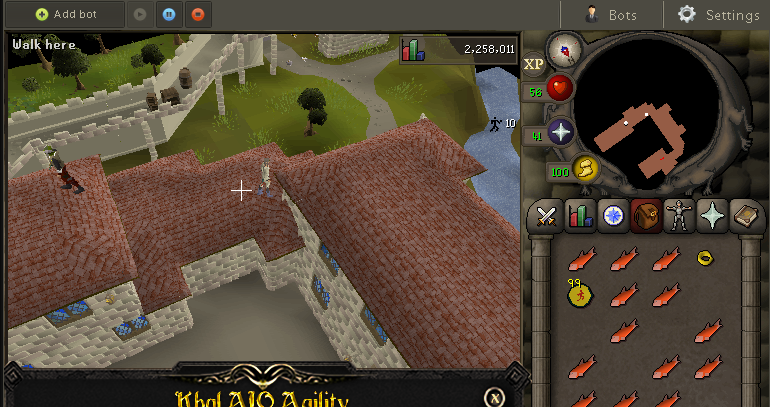
I had about 50 at the start, it was telling me i was getting 250 marks of grace p / h. If only No, that was the only place I saw it doing that. Help me upload my 6 hour proggy properly plz
-
6 hour proggy but i don't know how to make it appear here.
-
Great script, ran for 6 hours no bugs. I think mini map clicking should be completely eliminated to be honest, as I think most people don't ever do this. But, mini map clicking is rare with this script. Marks of grace in proggy not accurate, I started script with some in my inventory so it messed it up Used for falador and canifis, no bugs with either. Well, I noticed this minor bug. When jumping down from the roof i've just jumped down from (on the right) it clicks "jump ledge" (or whatever) twice. The second click is usually just before you actually jump down, so it registers and leaves you standing like in this picture, only for a second, but it happened multiple times and should be looked at. Sorry for my rubbish explanation. Apart from that absolutely minor bug, great script
-
- Script name AIO Agility - trial length 2 days -Reason for trial I need a full graceful set, I'd like to test out the script before taking an $8 plunge. - Are you ging to give feedback on the script? Yes, I'll post proggies and give honest feedback if that is what you want. Thanks