





Skip to content
View in the app

A better way to browse. Learn more.

OSBot :: 2007 OSRS Botting

A full-screen app on your home screen with push notifications, badges and more.

To install this app on iOS and iPadOS
  1. Tap the Share icon in Safari
  2. Scroll the menu and tap Add to Home Screen.
  3. Tap Add in the top-right corner.
To install this app on Android
  1. Tap the 3-dot menu (⋮) in the top-right corner of the browser.
  2. Tap Add to Home screen or Install app.
  3. Confirm by tapping Install.

coomlord420

Members
  • Joined

  • Last visited

Everything posted by coomlord420

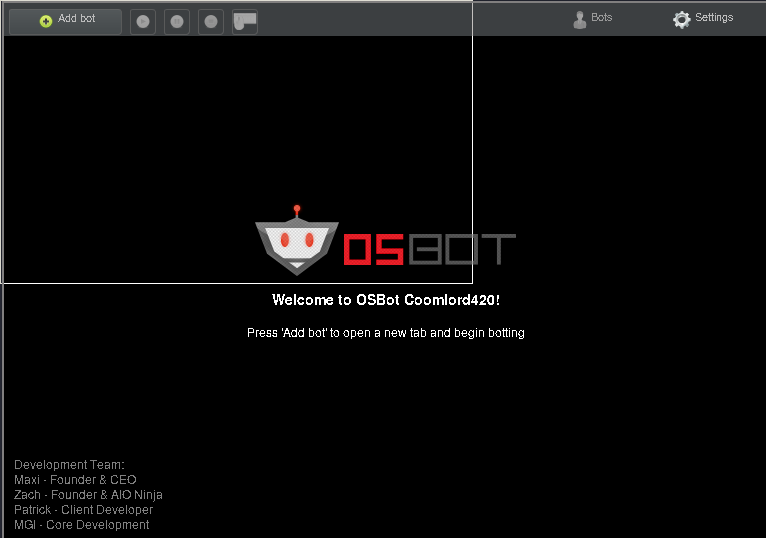
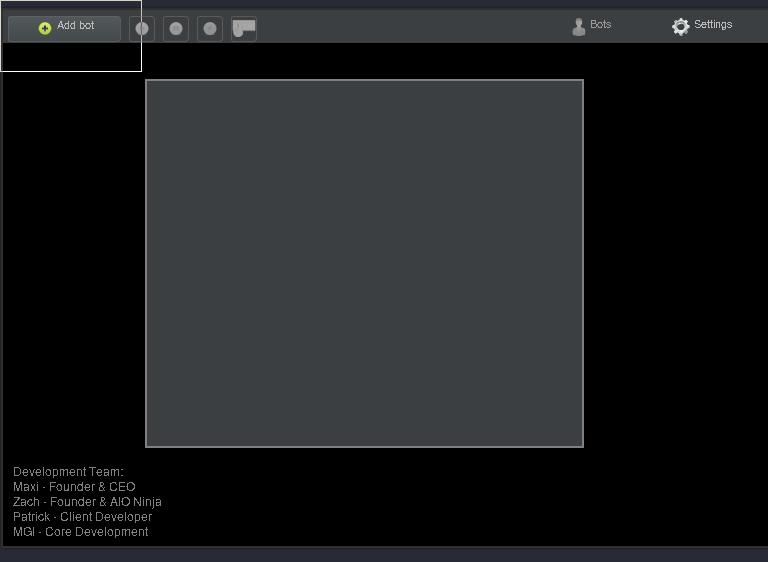
  1. I run OSbot with java -jar ~/Downloads/OSBot\ 2.5.70.jar and everything starts up fine, as shown in the first attached image, but when I hit the "add bot" button in the top left I get a blank window shown on the second attached image. I assume I'm missing some sort of dependency? Maybe qt or something? Any help is appreciated. java -version outputs this openjdk version "1.8.0_242" OpenJDK Runtime Environment (build 1.8.0_242-b08) OpenJDK 64-Bit Server VM (build 25.242-b08, mixed mode)
Account

Navigation

Search

Search

Configure browser push notifications

Chrome (Android)
  1. Tap the lock icon next to the address bar.
  2. Tap Permissions → Notifications.
  3. Adjust your preference.
Chrome (Desktop)
  1. Click the padlock icon in the address bar.
  2. Select Site settings.
  3. Find Notifications and adjust your preference.
