SickOfGrinding
Members
-
Joined
-
Last visited
-
My main got banned for using this script for less than an hour 😭
-
Thanks Czar for getting back to me , i have tried House Tab > mounted glory, same issue. I have tried glory (equipment) and it works.. However i hope u still can fix the house tab options ! Please let me know when u update the bot so i can test it again~!😆
-
Botting bug I am trying to craft nature runes are the abyss, i am using 3 pouches and house tab to jewellery box. The first run is always working and after banking on the first run, the bot withdraws the next set of pure essence and gets ready to go again but it clicks on the south west near the tree instead of north (where the abyss is ) . I tried pausing and resuming from the same banking position but results is the same. I restart the bot and it works fine again for the 1st run and repeats the same bug the second run. Please let me know if i am doing anything wrong or fix this bug please ! Suggestion Hi, i would like to check if it is possible to let the bot drink from the ornate pool instead of using the energy pots to save some pot cost since the bot is already capable enough to teleport to house and use jewellery box?
-
Got banned in using for less than an hour 😖
-
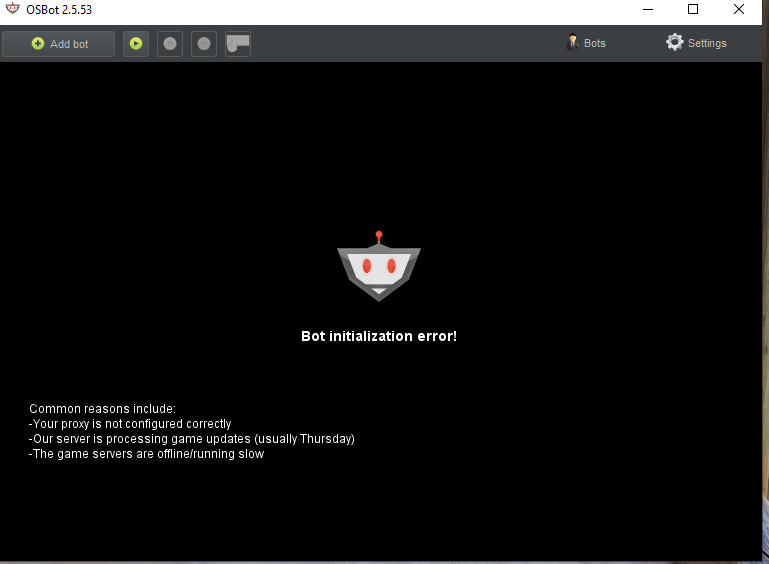
Hi all please help. My OSBot was working fine just this afternoon. I switched to Rune Lite to do some quest , i went back to OSBot to bot again but was unable to load. It keeps showing Bot Initialization error. I am not using proxies , tried using different internet , different computers but both failed to work. I also unchecked Proxy option..Any help is greatly appreciated