






riceoftheasia
Members
-
Joined
-
Last visited
Everything posted by riceoftheasia
-
1. Pictures of the account stats 2. Pictures of the total wealth (if there is any) 3. Pictures of the quests completed 4. The price you will be starting bids at $200 - $10 increments 5. The A/W (Auto-win) for your account $600 6. The methods of payment you are accepting Cashapp 7. Your trading conditions You go first unless trusted or MM at your own expense 8. Pictures of the account status 9. Original/previous owners AND Original Email Address I am the original owner, registered to my personal email. Will provide details needed and change address to yours.


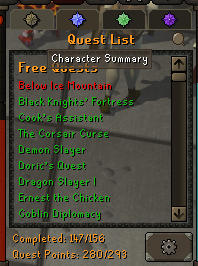
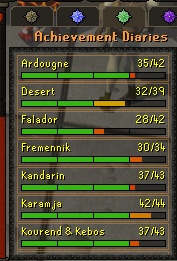
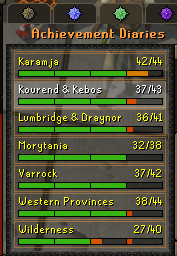

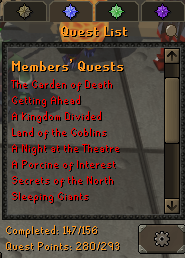
-
added on discord want to know rates
-
April Fools!!
-
-
can i get a trial for this please?
-
Alching doesn't seem to work properly: "Alch after obstacle" the bot alchs during the animation so it actually doesn't alch the item, "alch while moving" the bot moves to the next obstacle while selecting alch spell, when alch spell is selected, it tries to alch the obstacle Also the bot shakes the camera too much while moving from end to start of seer's village


