notshi
Members
-
Joined
-
Last visited
-
Hmmm been running 4hrs no problem, are you botting on newly made fresh accounts? Cause those gets ban quickly. Great script btw!
-
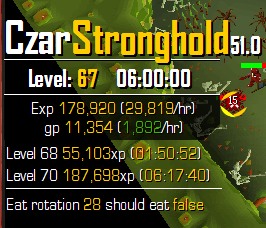
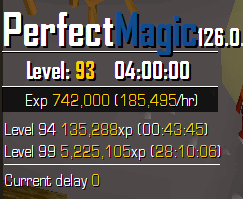
[INFO][Bot #1][11/08 01:18:19 PM]: Walking to fight pos: [x=2151, y=5307, z=0] [INFO][Bot #1][11/08 01:18:19 PM]: Attempting to negotiate obstacle at: [x=2149, y=5302, z=0] [INFO][Bot #1][11/08 01:18:20 PM]: Tackling obstacle at ([x=2149, y=5302, z=0]) [INFO][Bot #1][11/08 01:18:24 PM]: Attempting to negotiate obstacle at: [x=2149, y=5302, z=0] [INFO][Bot #1][11/08 01:18:25 PM]: Trying again... [x=2149, y=5301, z=0] is the next one [INFO][Bot #1][11/08 01:18:27 PM]: Walking to fight pos: [x=2151, y=5307, z=0] [INFO][Bot #1][11/08 01:18:27 PM]: Attempting to negotiate obstacle at: [x=2149, y=5302, z=0] [INFO][Bot #1][11/08 01:18:29 PM]: Walking to fight pos: [x=2151, y=5307, z=0] [INFO][Bot #1][11/08 01:18:30 PM]: Tackling obstacle at ([x=2149, y=5302, z=0]) [INFO][Bot #1][11/08 01:18:33 PM]: Exception in script thread: java.lang.NullPointerException at perfect.scripting.b.d.Aux.m(yi:182) at perfect.scripting.b.d.a.NUL.h(ql:784) at perfect.scripting.b.c.nuL.h(xg:425) at perfect.scripting.b.c.nuL.A(xg:227) at perfect.scripting.b.c.nuL.h(xg:803) at perfect.scripting.b.c.nuL.J(xg:792) at b.a.a.CoN.C(lo:261) at b.a.nUL.onLoop(mh:709) at org.osbot.rs07.event.ScriptExecutor$InternalExecutor.run(sk:36) at java.lang.Thread.run(Unknown Source) Bot works great! But when i pick a diff place in 3rd floor it keeps on clicking the same door over and over for like a minute then it'll somehow work EDIT: it's still not bad though here is a 6hr prog