




Jump to content
View in the app

A better way to browse. Learn more.

OSBot :: 2007 OSRS Botting

A full-screen app on your home screen with push notifications, badges and more.

To install this app on iOS and iPadOS
  1. Tap the Share icon in Safari
  2. Scroll the menu and tap Add to Home Screen.
  3. Tap Add in the top-right corner.
To install this app on Android
  1. Tap the 3-dot menu (⋮) in the top-right corner of the browser.
  2. Tap Add to Home screen or Install app.
  3. Confirm by tapping Install.

bobros11

Members
  • Joined

  • Last visited

  1. bobros11 replied to Fruity's topic in Minigames
    I've used this script for literally hundreds of hours without any problems (10 hours a day sometimes, small breaks every couple of hours). The problem is I recently used a premium construction script and got a temp ban within 2 hours... Now I'm wondering, is it safe to continue using this script as I previously did? Or is my account now flagged and at increased risk? I used this script to nearly max, but now I'm scared to continue. What do you think?
  2. bobros11 replied to Fruity's topic in Minigames
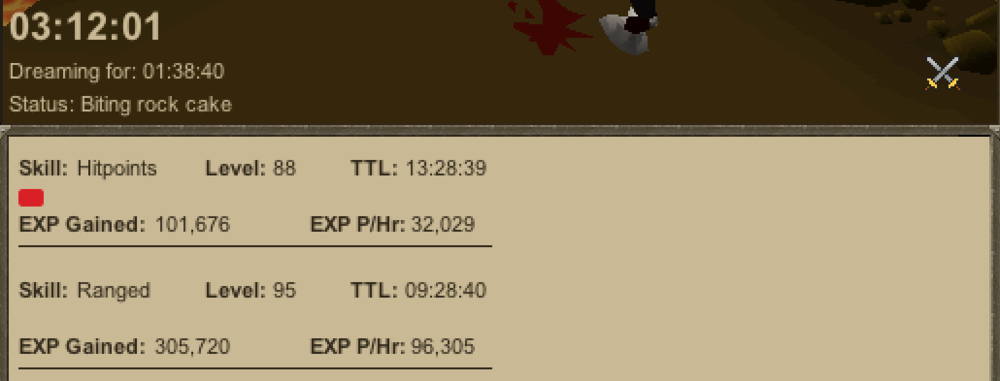
    I love this script!! Its worked flawlessly for my 1 def 1 pray pure for a long time. With 5 overloads and 22 absorbs each dream lasts about an hour and a half. Thanks Fruity for the great script!! One request: can you add support for granite hammer special attack? Maybe a 'spec with currently equipped weapon' option. Thanks!
Account

Navigation

Search

Configure browser push notifications

Chrome (Android)
  1. Tap the lock icon next to the address bar.
  2. Tap Permissions → Notifications.
  3. Adjust your preference.
Chrome (Desktop)
  1. Click the padlock icon in the address bar.
  2. Select Site settings.
  3. Find Notifications and adjust your preference.