muffins4251
Members
-
Joined
-
Last visited
-
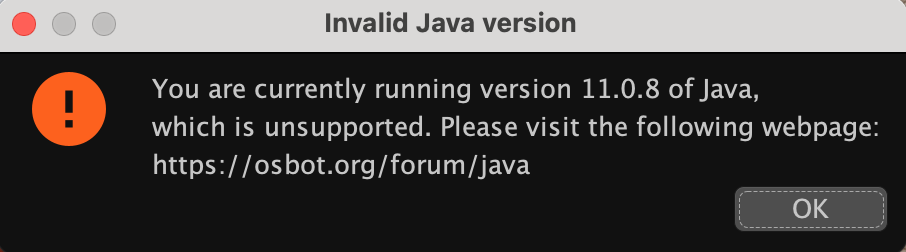
I downloaded OSBot and tried to start it but got this error message. I have redownloaded OSBot and reinstalled java and rebooted my computer but still get the same message every time I try to open OSBot. Any suggestions? I have looked at the guides on the forums, I also looked at the forum/java, but that just made me more confused because it was a windows based explanation. Any help would be appreciated. Thanks

-
I downloaded OSBot and tried to start it but got this error message. I have redownloaded OSBot and reinstalled java and rebooted my computer but still get the same message every time I try to open OSBot. Any suggestions? I have looked at the guides on the forums, I also looked at the forum/java, but that just made me more confused because it was a windows based explanation. Any help would be appreciated. Thanks