






Greenguygang
Members
-
Joined
-
Last visited
-
Didn't finish what I had to say on Discord, stay in your lane and fuck off I wasn't asking you for anything on this thread.
-
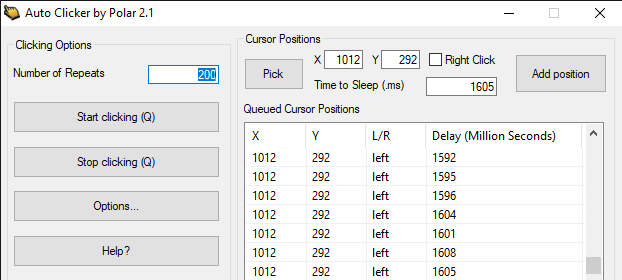
Sorry Fury I'm busy trying to learn how to generate random integers between 1584 and 1613 that automatically inputs itself into an Autoclicker so I don't have to edit and randomize a list of 1000 variables manually every-time I want to run it.
-
DM me on Discord, Rezyrve#7214 if you wanna escalate with me, not gonna jump down a forum rabbit hole with a troll.
-
Fury's response rate and customer service is outstanding, also the script itself actually works very well and executes just as it's intended to. I've contacted Fury with issues that I've had about my particular use of the script and immediately worked with me to resolve the issue.
-
What does that mean?
-
Whats up with the status getting stuck on "Web walking to waiting area" after a custom location has been entered, I just spent 9.00 for this script yesterday and haven't profited at all because of this bug.


