

Jump to content
View in the app

A better way to browse. Learn more.

OSBot :: 2007 OSRS Botting

A full-screen app on your home screen with push notifications, badges and more.

To install this app on iOS and iPadOS
  1. Tap the Share icon in Safari
  2. Scroll the menu and tap Add to Home Screen.
  3. Tap Add in the top-right corner.
To install this app on Android
  1. Tap the 3-dot menu (⋮) in the top-right corner of the browser.
  2. Tap Add to Home screen or Install app.
  3. Confirm by tapping Install.

000wns00

Members
  • Joined

  • Last visited

  1. i definitely have java 8 installed
  2. It def does not open up like that. It fails. Never once have i see that
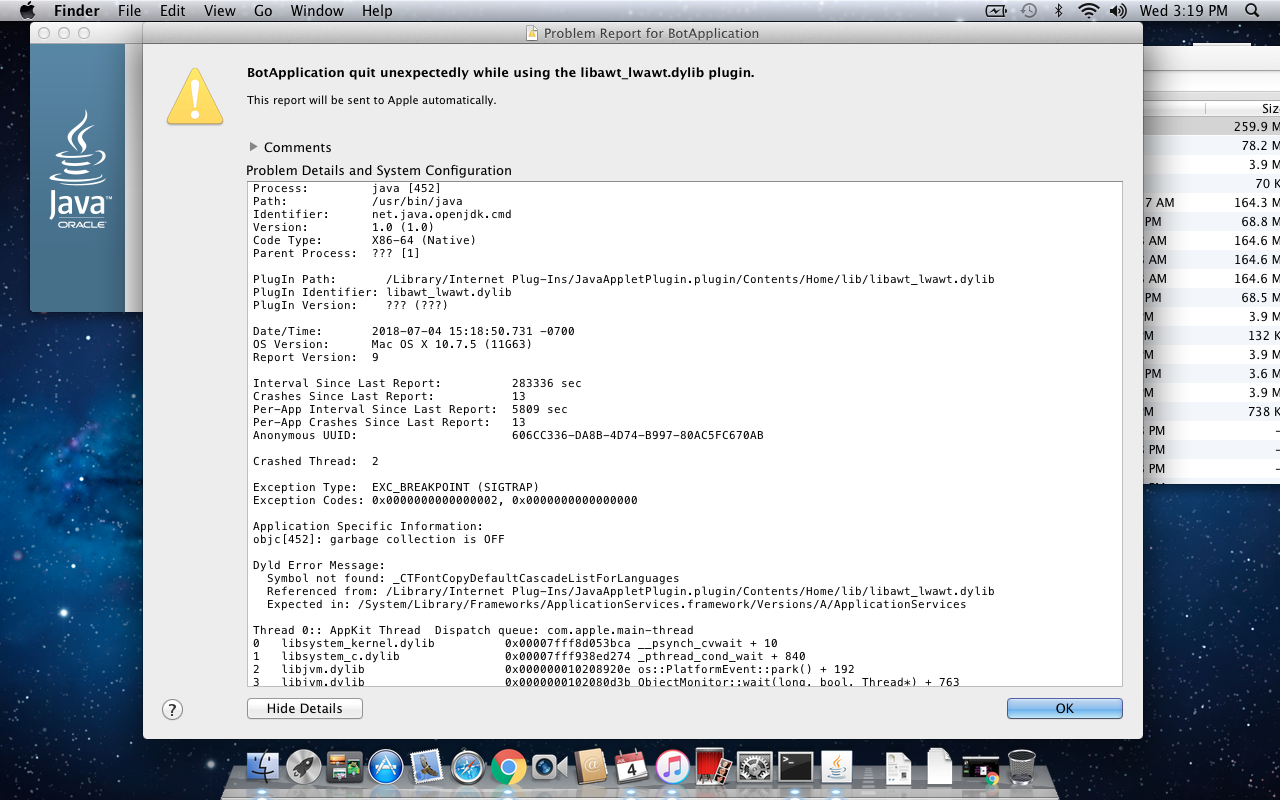
  3. i have a macbookpro, not sure what year it is. it was given to me. everything i try and start up fails. OsBot doesnt start up it keeps failing. I cant get passed my username and password. It takes my to a full page of failure. i tired the terminal. maybe its my lack of experience. but i didnt know it would be this difficult.
  4. i want a refund, nothing is working. sorry
  5. I cant get osbot to even start? idk what to even do , starting the osbot eben crashes
  6. I run osbot and it fails. I dont understand the gui or anything, im also on mac....
  7. Can’t figire it out, I bought it buts it’s not working
Account

Navigation

Search

Configure browser push notifications

Chrome (Android)
  1. Tap the lock icon next to the address bar.
  2. Tap Permissions → Notifications.
  3. Adjust your preference.
Chrome (Desktop)
  1. Click the padlock icon in the address bar.
  2. Select Site settings.
  3. Find Notifications and adjust your preference.