Jump to content
View in the app

A better way to browse. Learn more.

OSBot :: 2007 OSRS Botting

A full-screen app on your home screen with push notifications, badges and more.

To install this app on iOS and iPadOS
  1. Tap the Share icon in Safari
  2. Scroll the menu and tap Add to Home Screen.
  3. Tap Add in the top-right corner.
To install this app on Android
  1. Tap the 3-dot menu (⋮) in the top-right corner of the browser.
  2. Tap Add to Home screen or Install app.
  3. Confirm by tapping Install.

Bevsus

Members
  • Joined

  • Last visited

  1. Could I get a trial please :-)?
  2. Well, yes. But I am not desperate or in a rush. So I will start getting some feedback etc. :-). And when I choose to sell it, it will be with a middleman and probably only to someone trusted on here. Yeah. I'll start building some rep and so forth. Nice to know ones account is that much though. To be fair, I was thinking somewhere around 70-100$.
  3. Come again? Holy **** Did not think it was anywhere near that. Even if only around.
  4. Thanks for the heads up! Tried looking for the "rules" but could not seem to find them.
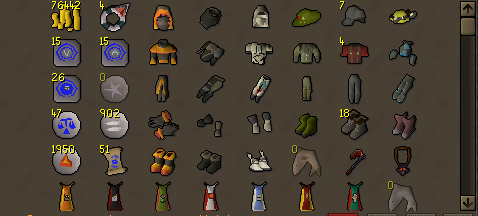
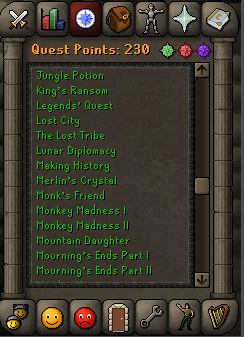
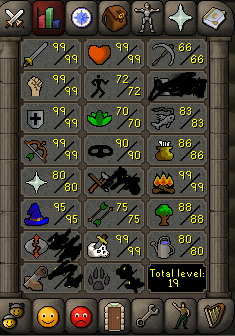
  5. Hey OSB! I would like to request a PC on my main acc. I am the first, and only, owner of the account. Besides the things shown it also has; 4 pets, full void range & mage. Than you for your time!
Account

Navigation

Search

Configure browser push notifications

Chrome (Android)
  1. Tap the lock icon next to the address bar.
  2. Tap Permissions → Notifications.
  3. Adjust your preference.
Chrome (Desktop)
  1. Click the padlock icon in the address bar.
  2. Select Site settings.
  3. Find Notifications and adjust your preference.