Jump to content
View in the app

A better way to browse. Learn more.

OSBot :: 2007 OSRS Botting

A full-screen app on your home screen with push notifications, badges and more.

To install this app on iOS and iPadOS
  1. Tap the Share icon in Safari
  2. Scroll the menu and tap Add to Home Screen.
  3. Tap Add in the top-right corner.
To install this app on Android
  1. Tap the 3-dot menu (⋮) in the top-right corner of the browser.
  2. Tap Add to Home screen or Install app.
  3. Confirm by tapping Install.

abdulrehman

Members
  • Joined

  • Last visited

About Me

 training Powerleveling for old school, 100% no ban guanteen!

2017.1.29

From long time period, i did something not good with powerleveling here b4. But now i realized that, i  should offer 100% safe hand training service. so that customer wont need to worry about account get banned. 


,iam promise 100% manual hand training for every powerleveling order, no bot used, and we guarantee 100% no ban for powerleveling.
 

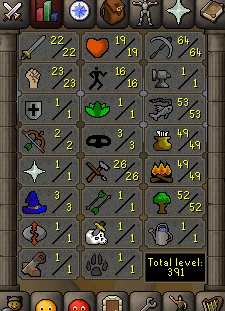
i have a good expirence any one need worker on power leveling iam ready just pm me nd add me on skype  online whole day play 12 hours u get order fast hope so nd payment method skrill nd btc visa card 


9d60245ab90388ac7fe5408802bf95fa.png

45cfccb6bf07c6dfbf63d6686d2bb9a4.png

bc8fafc7f9fcb5bb2147b49617075722.png

Account

Navigation

Search

Configure browser push notifications

Chrome (Android)
  1. Tap the lock icon next to the address bar.
  2. Tap Permissions → Notifications.
  3. Adjust your preference.
Chrome (Desktop)
  1. Click the padlock icon in the address bar.
  2. Select Site settings.
  3. Find Notifications and adjust your preference.