



Jump to content
View in the app

A better way to browse. Learn more.

OSBot :: 2007 OSRS Botting

A full-screen app on your home screen with push notifications, badges and more.

To install this app on iOS and iPadOS
  1. Tap the Share icon in Safari
  2. Scroll the menu and tap Add to Home Screen.
  3. Tap Add in the top-right corner.
To install this app on Android
  1. Tap the 3-dot menu (⋮) in the top-right corner of the browser.
  2. Tap Add to Home screen or Install app.
  3. Confirm by tapping Install.

daxdeclan

Members
  • Joined

  • Last visited

  1. no I'm a filthy American.
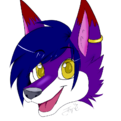
  2. Hello, my name is Dax Declan, or at least that's my alias. I was kind of brought here by Saiyan. I'm looking to get into botting, and possibly into writing scripts, id like to become quite active here and I'm looking forward to my stay here. Before anyone asks, yes I'm a furry, yes I know they suck.
  3. Gl on your journey of blue balls. I'd recommend rushing the quest cape, and using the OSRS wiki's optimal quest order guide. should minimize the amount of grinding

Account

Navigation

Search

Configure browser push notifications

Chrome (Android)
  1. Tap the lock icon next to the address bar.
  2. Tap Permissions → Notifications.
  3. Adjust your preference.
Chrome (Desktop)
  1. Click the padlock icon in the address bar.
  2. Select Site settings.
  3. Find Notifications and adjust your preference.