hunter360
Members
-
Joined
-
Last visited
-
Could you possibly make the bot use the skill cape to get a +1 to fishing? Also dragon harpoon spec. Much love.
-
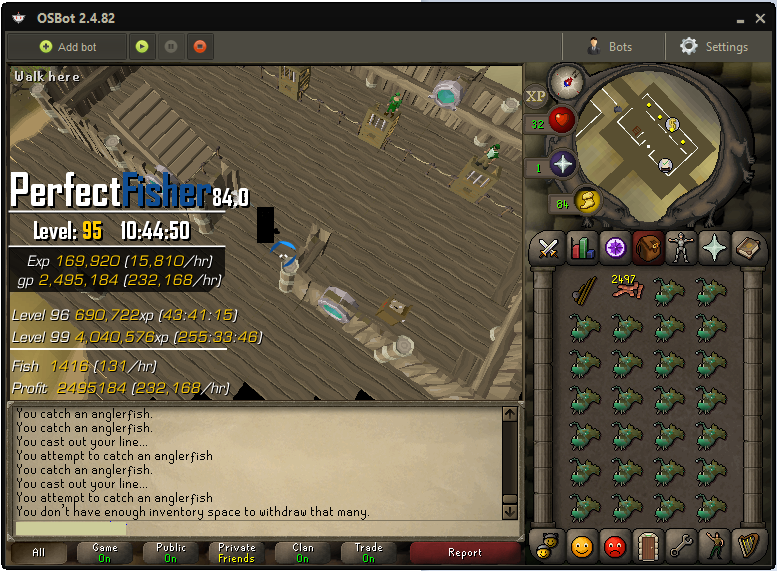
@Czar Sorry to say but the bot gets stuck in zaeh angle rfish bank on zaeh pathing. Also zooming fully out doesn't fix the issue, here is a pic of where it gets stuck.
-
@Czar Sorry for being annoying but it got stuck in a new place. Inside the doorway of the bank nearest to anglerfish it got stuck, seemed to be something to do with the camera angle as when I moved the camera it fixed it. it seems pretty rare only happened once in 12 hours. (i was using zaeh movement)
-
@Czar Working perfectly now thanks!
-
No I just tested all 4 walking patterns and they are all stuck (apart from 3 read below), It's possible I'm doing something wrong? Do you want me to record this? Oh and another issue is that when i use Walking 3, which does walk to the bank it eats my cpu (Amd fx-8350, 8 core, 4.8ghz) and crashes the game if i don't close it fast.
-
Sorry im new to this, and this is the first script i used. Do i have to manually update the script because angler fish bug still is happening.
-
bought this, worked perfectly on sharks. But angler-fish isn't banking, its pathing seems to not know how to get back to the bank when at the fishing spot furthest away from the bank near the fishing shop.