





Butta
Java Lifetime Sponsor
-
Joined
-
Last visited
-
-
some people might remember, I projected previous bitcoin bubble w/bottom @ 3k's. Which turned out to be correct. Fill your bags now!
-
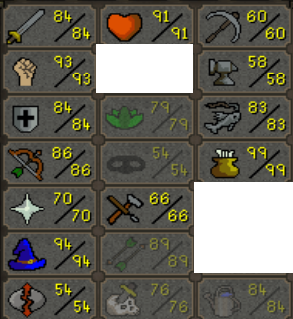
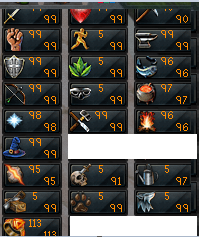
190+ QP , bgloves, fcape, torso on Rs07 Almost maxed account on rs3
-
currently sitting at 60atk/70str/45def and was curious what is the fastest way to get maxed? dscimmy till 70/70/70 i assume and then dharok 1hp or whip with max gear?
-
dollar cost average down sub 5k btc no.
-
down, multi year grind for new high prices.
-
-
It's been a nice ride since I have posted my previous threads, still expecting lower prices. Hype definetely decreased. Here is my first thread: Many more exciting posts also during the bull run
-
I will be at Tomorrowland 2nd weekend this year -- is anyone else going? ?Greetings to my best friend @nicksep who thought he knows better previous thread: What do you think will happen next?it's pretty obvious that jagex doesn't care about what you do ingame, by doing stuff repeatedly you create patterns. doesn't require a genius to filter out the bots trying to act less bot like makes it even worse. Imagine you are right handed and on the next day you are trying to do stuff with your left hand :P8 days ago, i think he dumped his ETH stock on usi used to mine too when I had less money


