






achaldo
Members
-
Joined
-
Last visited
-
How much riskier is it not using the mirror client?
-
Oh ok no worries, I guess I'll train something else until the bug is fixed. Thanks
-
I'm using the mirror running nats through the abyss and the client is freezing when I enter the nature altar. I can't pause or stop the bot through the client because the buttons are non-responsive. However the bot jut sits there and rotates the camera. It's happened 3 times now, exactly the same thing happens every time I enter the nature altar. I end up having to close the client through task manager. I was running your agility script earlier today with no issues. My settings: https://i.imgur.com/Xneuv2l.png https://i.imgur.com/60NYKJe.png Thanks edit: Ok strange thing happens, if I start the bot at the altar it works fine... edit2: It was working for a couple of trips and then the client froze again once I entered the altar. Very frustrating. edit3: what an unfortunate time to get the trial...servers suck balls right now so it's hard to test.
-
-
May I have a trial pleeaase?
-
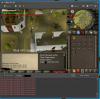
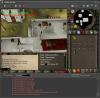
- Normal client or Mirror client? Mirror - What course/ rooftop are you running Pollniveach - What is the issue? Bot doesn't start, just keeps rotating camera - What is the script status, (can be seen in the paint) camera rotation EDIT: Alright I walked around a bit and started the bot again and now it's working, however, this was still an issue the first 3-4 times I started the bot. EDIT2: found another glitch. gets stuck there, it's not doing anything.
-
I'm sorry I have looked around to see if anyone else has asked this question however, it's been 5 hours since I paid for VIP yet I still don't appear to be a VIP. Thanks



