Blaze It
Trade With Caution
-
Joined
-
Last visited
Everything posted by Blaze It
-
 No I use a separate computer and use a VPN to change my IP on that PC! You can never be too safe when botting.
 -
PM me your RSNs if you guys wanna play!
-
-
Hmm, dunno my VPN works with RS, maybe give it a go, "ra4wvpn".
-
Just figured i would pop in and let you know that the script is still running flawless (making Cannon Balls) Thanks alot for this amazing script!
-
I now figured out a fix, what I have to do is minimize the osbot client and watch it from the rs client! Working flawless now!
-
Just got it working thanks anyways! EDIT: Nevermind, http://gyazo.com/dc5c1ca38733a43f5985d12e64610ced Does stuff like that quite often, and it repeatedly does that before it actually does the proper action
-
OMG FINALLY
-
Lots of people who bot have accounts they play legit on. Nice me too, I have a main and a void pure!
-
What do you mean? Naaaah
-
No matter what I do, can't create new account nothing new pops up when I click it and can't over right default, stuck here, any ideas?
-
Ya first video garunteed to be nervous haha. I had the first part scripted out, figured i could hanlde the rest no problem, but ya I already told myself to script the whole thing next time! Thanks for the input!
-
PM'd Come on now, I don't smoke pot. EDIT: 69 Posts ftw.
-
Whys that? I find legit more fun now than i used to!
-
Here is my guide for auto hotkey on runescape, this is my first ever youtube video! https://www.youtube.com/watch?v=MZsM2hrggYk Let me know how I did for my first ever guide and video! In search of someone to make me GFX (youtube channel art and avatar) and also and Intro, willing to pay! Just show me some of your work and we can go from there!
-
Lol everyone DDoS's pking worlds that runescape life
-
What crawled up your ass to cause that disgust? If you guys want, PM me your RSN we will play. I quit for a while and everyone I used to play with doesn't play anymore so I need some new people to play with! But I don't want someone's bot account on my friends list that is online 24/7 and never answers me lol!
-
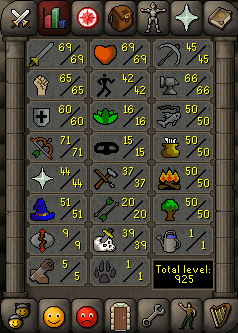
Anyone still playing legit? I currently have 2 accounts I play, PM me if you want my RSN. I have 2 decent accounts for them being completely legit! The only reason I have 2 account is becuase a friend quit and gave me his account so I figured I wouldn't let the account die! lol My account: The one my friend gave me:
-
Okay but you didnt answer, have you ever done youtube backgrounds, or signature bars?
-
Script keeps stopping, I'm trying to use it for cannon balls, can share screens on skype to show you the problem?
-
Have you ever done youtube backgrounds, and how about signature bars and such?
-
You need some sort of card linked in order to spend your balance, trust me, I've ran into the problem myself.
-
You need a card linked to your account in order to spend your paypal balance I've had this issue before, I have an empty prepaid card I can give you the numbers for if you need to link a card, just PM me!
-
Damn looks good, not really the style I'm looking for but if i showed you an example I'm sure you could put something together? Do you also do GFX? Im really hoping to get someone who can do both for me!
-
There is that better...