




Jump to content
View in the app

A better way to browse. Learn more.

OSBot :: 2007 OSRS Botting

A full-screen app on your home screen with push notifications, badges and more.

To install this app on iOS and iPadOS
  1. Tap the Share icon in Safari
  2. Scroll the menu and tap Add to Home Screen.
  3. Tap Add in the top-right corner.
To install this app on Android
  1. Tap the 3-dot menu (⋮) in the top-right corner of the browser.
  2. Tap Add to Home screen or Install app.
  3. Confirm by tapping Install.

Awesome

Members
  • Joined

  • Last visited

Everything posted by Awesome

  1. Awesome replied to Awesome's topic in Archive
    Hahah first person to say something about it :P
  2. Awesome replied to Awesome's topic in Archive
    Ok thanks
  3. Awesome posted a topic in Archive
    idk what it is but when i click chat and press I Agree it just says 'Oops something went wrong' is this happening to anyone else?
  4. Awesome replied to Awesome's topic in Archive
    Iam smithing
  5. Awesome posted a topic in Archive
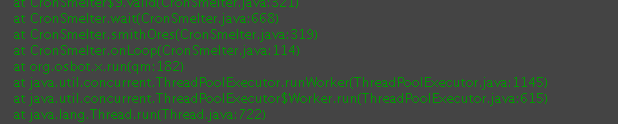
    I have been having this issue with 2 scripts now but when i closed the client it worked again, But what happened? It happened when i start the script and the bottom bit where it comes up with like You have now started the script and all that it just keeps on coming up with errors and the script doesnt start but i can stop it. This happened to me yesterday too so whats happening?? Script or Client?
  6. Really good recommend it to every1
  7. All good so far. Just one thing u should be able to remove the paint like not show it so u can see what other ppl are saying
  8. For exactly how long? It worked now thanks guys
  9. So what your saying is just let it download? it could take up to like 1gb idk it just keeps on downloading
  10. Hey, idk if this is my downloads or something idk. Anyway when i go to download the client i look in my downloads and it just keep on download but it doesn't have a limit and iam on Mac. When it downloading its downloading MB but its like (MB) of ? and i think it maybe be the download cause i tried downloading something else and it worked fine. Plz help.

Account

Navigation

Search

Configure browser push notifications

Chrome (Android)
  1. Tap the lock icon next to the address bar.
  2. Tap Permissions → Notifications.
  3. Adjust your preference.
Chrome (Desktop)
  1. Click the padlock icon in the address bar.
  2. Select Site settings.
  3. Find Notifications and adjust your preference.
