Jump to content
View in the app

A better way to browse. Learn more.

OSBot :: 2007 OSRS Botting

A full-screen app on your home screen with push notifications, badges and more.

To install this app on iOS and iPadOS
  1. Tap the Share icon in Safari
  2. Scroll the menu and tap Add to Home Screen.
  3. Tap Add in the top-right corner.
To install this app on Android
  1. Tap the 3-dot menu (⋮) in the top-right corner of the browser.
  2. Tap Add to Home screen or Install app.
  3. Confirm by tapping Install.

kinkki

Members
  • Joined

  • Last visited

Everything posted by kinkki

  1. kinkki replied to kinkki's topic in Price Check
    LOLOL i know i did wrong but come guys... i have been member longer then half ppl here lol... only need the post count so i could sell this acc what a shame..
  2. kinkki replied to kinkki's topic in Price Check
    added
  3. kinkki posted a topic in Price Check
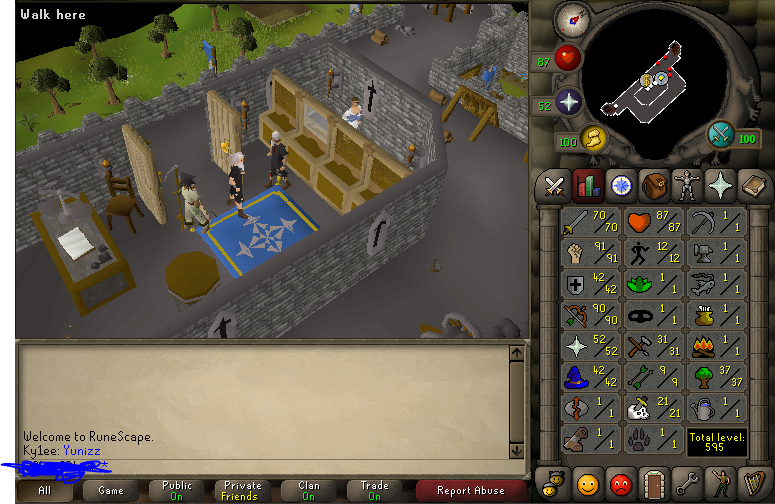
    Dont have 100 post so if u wanna offer then offer =)
  4. so i am looking for rusher =) 82 magic- 50 att- 13-15 pray...
  5. Ok =) are you going to finish dt and how much u would sell?
  6. hi iam looking someting like 58 cb magic rusher... stats would be like 82 magic,50att 13 pray and str is what it is..
  7. pm me for offer only 2 days members left
Account

Navigation

Search

Configure browser push notifications

Chrome (Android)
  1. Tap the lock icon next to the address bar.
  2. Tap Permissions → Notifications.
  3. Adjust your preference.
Chrome (Desktop)
  1. Click the padlock icon in the address bar.
  2. Select Site settings.
  3. Find Notifications and adjust your preference.