
MassRS
Members
-
Joined
-
Last visited
-
MassRS changed their profile photo
-
Just updated the script, check out the new version.
-
You need to check woodcutting xp. For more antiban tips contact @Alek
-
Please wait for a client update. Before using the script Download the file. Place the file in your local scripts folder.
-
Thank you sir
-
I did that for my wireless energy transfering module wich shoots electro beams in to the ionosphere and had my cat work as receiver. It worked then... But didnt work for this. Ly2
-
Only for scripts on SDN right? because people with mysql db's also use JDBC
-
At this moment that isn't an option for me. There must be some kind of way to get the driver working right?
-
Does it work with a Access database? I think that method is for mysql db's
-
So i'm having problems with connecting to my MS Access database with UcanAccess. I found this snippet on google: // variables Connection connection = null; Statement statement = null; ResultSet resultSet = null; // Step 1: Loading or registering Oracle JDBC driver class try { Class.forName("net.ucanaccess.jdbc.UcanaccessDriver");//Loading Driver } catch(ClassNotFoundException cnfex) { log("Problem in loading or " + "registering MS Access JDBC driver"); cnfex.printStackTrace(); } // Step 2: Opening database connection try { log("TRYING TO CONNECT DB"); String msAccDB = "C:\\Database\\DB1.accdb"; String dbURL = "jdbc:ucanaccess://" + msAccDB; // Step 2.A: Create and get connection using DriverManager class connection = DriverManager.getConnection(dbURL); // Step 2.B: Creating JDBC Statement statement = connection.createStatement(); // Step 2.C: Executing SQL & retrieve data into ResultSet resultSet = statement.executeQuery("SELECT * FROM bots"); // processing returned data and printing into console while(resultSet.next()) { log("DB CONNECTED"); log(resultSet.getInt(1) + "\t" + resultSet.getString(2) + "\t" + resultSet.getString(3) + "\t" + resultSet.getBoolean(4) + "\t" + resultSet.getBoolean(5)); } } catch(SQLException sqlex){ sqlex.printStackTrace(); } But i can't seem to succesfully load the driver, i get this message in the log: [INFO][Bot #1][09/20 10:02:27 PM]: Problem in loading or registering MS Access JDBC driver [INFO][Bot #1][09/20 10:02:27 PM]: TRYING TO CONNECT DB I have the .jar's from UcanAccess. I've tried the following already: - Place the .jar's in the Eclipse workspace. - Place the .jar's in the Eclipse workspace in my package folder. - Imported the .jar's in Eclipse as External jar's. Can't seem to figure this out..
-
because of the game update today; some functions are not working properly in OSBot. You need to wait for the OSBot update and everything will work as usual.
-
Use high quality scripts, don't run click intensive scripts without breaks or for too long. Second: you can not "not risk a ban" there is always a risk of getting banned. IMO: it don't matter what day of the week you bot, just bot smart.
-
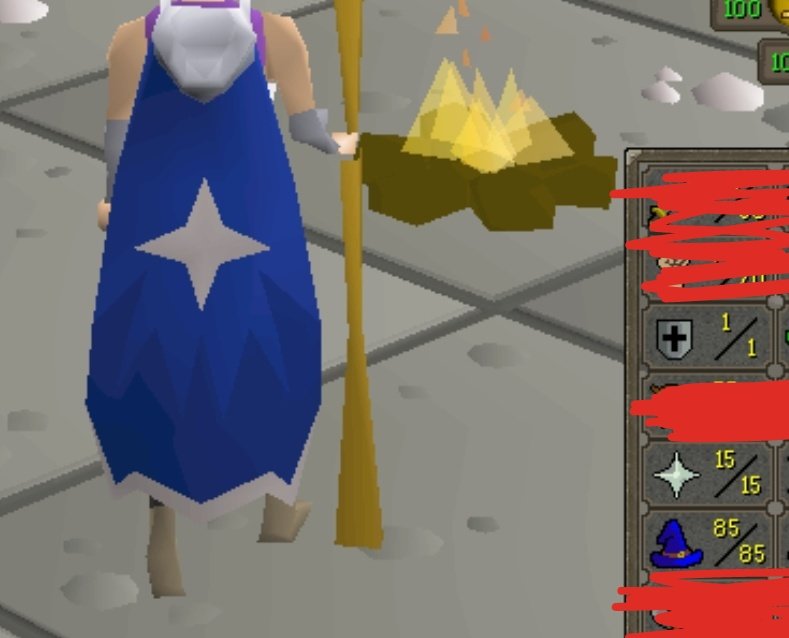
I've done it on 85 mage 40 HP with no overheads. You should use the Onion(10) baskets. And tick eat the onions.
-
Added the jar.
-
mCannon. Script designed for cannoning @ ogre's in the Combat training camp, but you can use it pretty much anywhere just follow the instructions carefully. Features: - AFK when idle. - Telegrab's seeds. - Repair's cannon. - GUI. Screenshots: Changelog: Updated version(9/24): mCannon.jar
-
In the layer menu, pressing the little lock next to the layer name also enables you to delete the background layer.