





All Activity
- Past hour
-
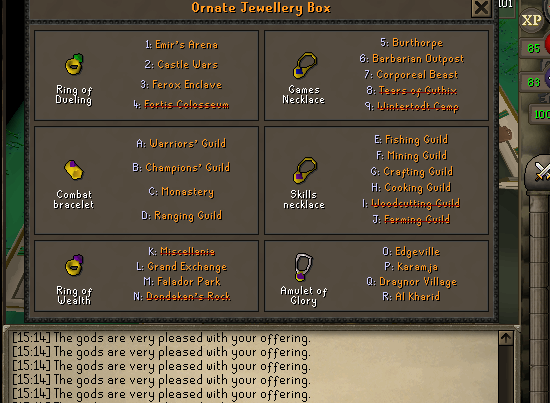
Thanks. Also one more bug more you to hopefully sort = Sometimes when it goes to the jewellery box to teleport back to your selected place, instead of right clicking and using the last tele location, it accidentally opens the interface for the jewellery box. Then the bot gets stuck staring at the interface. Note: when first using the interface to set the correct location it works fine, but follow up times when it is trying to right click last option is when it gets stuck in a loop just staring at this. Log attached. log.txt
-
TherealSg joined the community
-
bump
-
bump
-
bump
-
bump
-
-
bump
-
-
-
-
-
-
-
-
-
Runeluck - The Largest OSRS Poker & Casino Discord - Provably Fair! - Online 24/7 discord.gg/runeluck
-
-
Runeluck - The Largest OSRS Poker & Casino Discord - Provably Fair! - Online 24/7 discord.gg/runeluck
-
Runeluck - The Largest OSRS Poker & Casino Discord - Provably Fair! - Online 24/7 discord.gg/runeluck
-
Online @ www.PartyPeteShop.com
- Today
-
Online @ www.PartyPeteShop.com
-
bump
-
bump
-
bump
-
bump



