




Skip to content
View in the app

A better way to browse. Learn more.

OSBot :: 2007 OSRS Botting

A full-screen app on your home screen with push notifications, badges and more.

To install this app on iOS and iPadOS
  1. Tap the Share icon in Safari
  2. Scroll the menu and tap Add to Home Screen.
  3. Tap Add in the top-right corner.
To install this app on Android
  1. Tap the 3-dot menu (⋮) in the top-right corner of the browser.
  2. Tap Add to Home screen or Install app.
  3. Confirm by tapping Install.

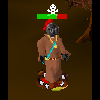
Client doesn't recognize Security Guard Random
Featured Replies

I've been babysitting my bot because it seems more and more randoms are currently falling apart and not being updated.


Today I got a security guard a couple minutes ago, i switch over. my hp is about 75% out of 100. Good thing I noticed it, and the script was still trying to range the monsters and getting hit at the same time.

Surprised run from combat didn't even kick in either.... Weird.

no red screen nothing.


Looking forward to osbot 2.0 though. Hopefully osbot can pull through, due to recent competition

This has been happening with all of the randoms the past few weeks, it is not that the random solver is messed up it is that the random activator is not being activated for the random to be solved

Me and many others have made threads letting the developers know about this, but nothing has been done about it yet.

It is pretty ridiculous that something like this is just let go for weeks with no fix being released for it

Guest
This topic is now closed to further replies.

Recently Browsing 0

  • No registered users viewing this page.

Account

Navigation

Search

Search

Configure browser push notifications

Chrome (Android)
  1. Tap the lock icon next to the address bar.
  2. Tap Permissions → Notifications.
  3. Adjust your preference.
Chrome (Desktop)
  1. Click the padlock icon in the address bar.
  2. Select Site settings.
  3. Find Notifications and adjust your preference.