




Jump to content
View in the app

A better way to browse. Learn more.

OSBot :: 2007 OSRS Botting

A full-screen app on your home screen with push notifications, badges and more.

To install this app on iOS and iPadOS
  1. Tap the Share icon in Safari
  2. Scroll the menu and tap Add to Home Screen.
  3. Tap Add in the top-right corner.
To install this app on Android
  1. Tap the 3-dot menu (⋮) in the top-right corner of the browser.
  2. Tap Add to Home screen or Install app.
  3. Confirm by tapping Install.

Skywave GFX - Professional design of intros/outros/other
Featured Replies

Hai

Skywave GFX is a small unregistered company created by me and my friends.
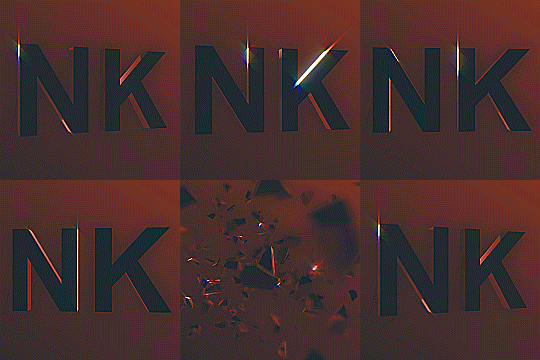
We have enormous experience in creating professional art and intros on requests, and we currently have three intro's for sale, and once you purchase we will change the intro text to whatever you want.


Here are the intros you can purchase from the templates.
Templates:
Price for one of those is $10, we will change the video so that it fits your username/logo.


This is a brief example of what kind of style you can expect when ordering from us.
Those are private orders done by one of the users.
 
 
Another thing we can offer is order, in which you can specify what you do expect us to do, and we will do it, for the amount of money we agree on. This is paid up-front, we do not like time wasters, and there are unfortunately lots of them. We will of course refund if the intro turns out to be not what you expected.
 
Prices:
Avatar - $3.50
Signature - $5
Thread Layout - $7
Intro/Outro - Price varies, needs to be discussed on skype.
Anything else can be discussed on skype as well.
 
You can contact us at skype: ja5io1


Edited by Nitrousek

Good work and gl with this


btw are you Brasilien or portuguese?

Edited by Monroe

  • Author

Good work and gl with this


btw are you Brasilien or portuguese?

Actually, neither, why? ^^


Thanks for comments guys.

Edited by Nitrousek

Recently Browsing 0

  • No registered users viewing this page.

Account

Navigation

Search

Configure browser push notifications

Chrome (Android)
  1. Tap the lock icon next to the address bar.
  2. Tap Permissions → Notifications.
  3. Adjust your preference.
Chrome (Desktop)
  1. Click the padlock icon in the address bar.
  2. Select Site settings.
  3. Find Notifications and adjust your preference.