Swirg
Members
-
Joined
-
Last visited
Everything posted by Swirg
-
-
-
-
-
its not nice
-
-
Xp per hour ?
-
-
-
-
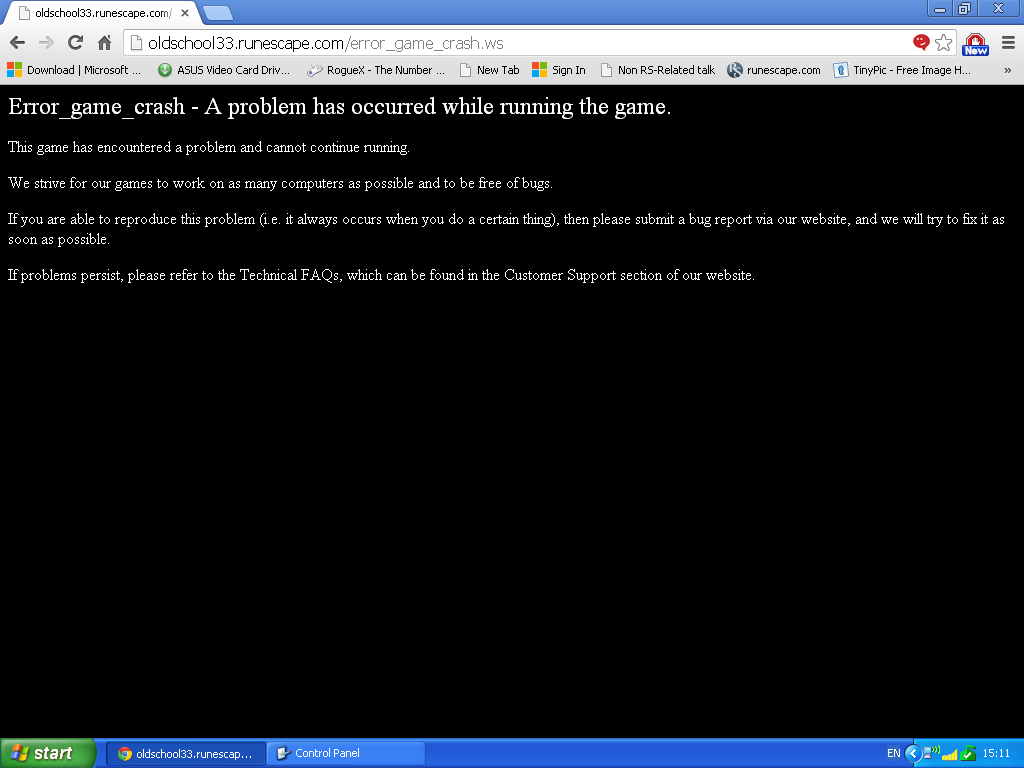
sure, here That is what I get when I load up the game sometimes. Other times it just sits on connecting to server. When I play when I try play on runescape.com it says I need to download a new java because it is "old" when it is the new java :P
-
Hey guys, When I try play runescape on all the different clients available, it keeps stopping and saying I need to update my java. I have updated my java to the newest version and it still doesnt work and continues to show the error. Does anyone have a solution? - Swirg Edit: I have windows XP if that helps and I am trying to play oldschool. RS3 works when I load it in the client but oldschool does not :'(
-
Hey guys, When I try play runescape on all the different clients available, it keeps stopping and saying I need to update my java. I have updated my java to the newest version and it still doesnt work and continues to show the error. Does anyone have a solution? - Swirg Edit: I have windows XP if that helps and I am trying to play oldschool. RS3 works when I load it in the client but oldschool does not :'(