




Jump to content
View in the app

A better way to browse. Learn more.

OSBot :: 2007 OSRS Botting

A full-screen app on your home screen with push notifications, badges and more.

To install this app on iOS and iPadOS
  1. Tap the Share icon in Safari
  2. Scroll the menu and tap Add to Home Screen.
  3. Tap Add in the top-right corner.
To install this app on Android
  1. Tap the 3-dot menu (⋮) in the top-right corner of the browser.
  2. Tap Add to Home screen or Install app.
  3. Confirm by tapping Install.

yangalator

Members
  • Joined

  • Last visited

  1. it's ranging between 40-50 fps right now :x
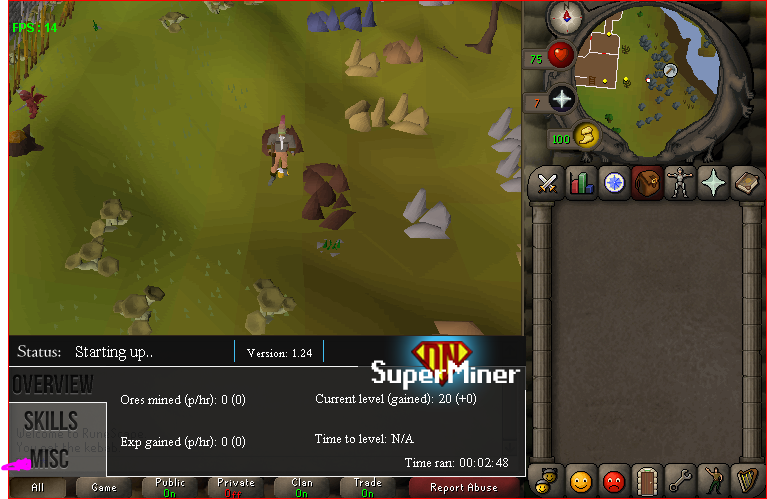
  2. so i bought VIP last night and also another premium script... i opened a new tab it worked but when i started the bot it just froze as in it did not do anything!!! even with the old premium mining script that i bought a week ago it worked perfectly?? every script i try to use for the 2nd bot to function just freezes and does not move... i have to do it manually?? PLEASE HELP!!!!!!! i don't want to pay 10 bucks for vip and another 10 for anoter script and have it not work!!! :(
Account

Navigation

Search

Configure browser push notifications

Chrome (Android)
  1. Tap the lock icon next to the address bar.
  2. Tap Permissions → Notifications.
  3. Adjust your preference.
Chrome (Desktop)
  1. Click the padlock icon in the address bar.
  2. Select Site settings.
  3. Find Notifications and adjust your preference.