Etnomis
Members
-
Joined
-
Last visited
-
Off the SDN for what was that, 2 days? You care more about making money than the people who buy your script. We complain about over-crowding. You then say you'll have it taken off the SDN for a while. It takes forever for you to actually have it taken off, and only do it when someone calls you out on it on the OSBot chat. Then, you put it back on the SDN only slightly more expensive a few days later. Disgraceful.
-
Script wont load for me. Every other script I have works, except for this one. Check it out please?
-
5uck told us he'd requested it, but whoever it was was still waiting for access to the SDN to remove it. Well a list of scripts were removed either today or yesterday, but this one is still on there. For no apparent reason. It appears 5uck cares more about the money for the script (which will stop coming in soon, when people realise there are 7 bots every world, and stop buying the script).
-
I've never had this issue. Occasionally it idles for a few minutes, but nothing like that. How many people are on the world you're at? Because if too many people are there, it's likely you'll attack slowly.
-
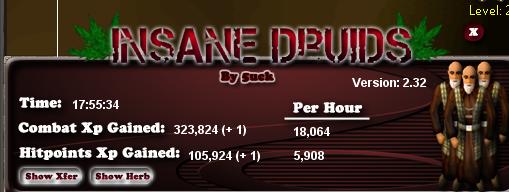
Where are you botting that it wont pick up Lantas? I'm at edge and it picks them up fine. Double check what your settings are at. Never mind, misread your post! Also, 18 hour flawless proggy anyone?