YuJinXin
Members
-
Joined
-
Last visited
-
What program could i possible install containing a keylogger that i did not run numerous virus scans on.. Have you played any rsps recently? No i do not play them, pointless in my opinion
-
I didnt claim that it was
-
What program could i possible install containing a keylogger that i did not run numerous virus scans on..
-
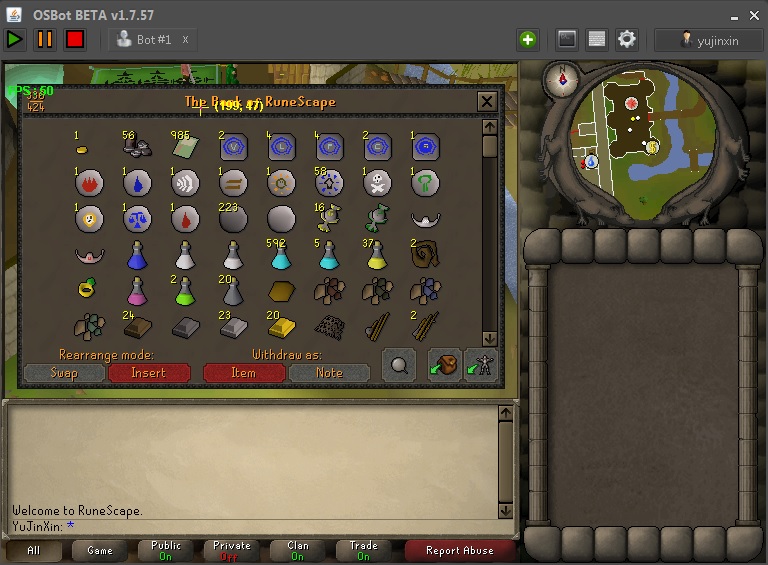
Hi Everyone, I am just making this post to let everyone know about the screenshot that is sometimes taken upon entering Rs07 on the Osbot Client After entering credentials into the client, and then starting up DNAIOFighter, i was well on my way to what i thought would be 99 Strength. After leaving it alone for approximately 2 and a half hours, my account had appeared to be logged out. My first recognition was that it was just a crash or maybe i ran out of food, but when entering the game, i was standing at Castle Wars bank with all gear un-equipped and with a bank summary of less than 100k. All 86M RS 07 Gold was gone, full barrows sets and endless amounts of supplies for Herblore, Fletching and Crafting. Now im unsure if it was the screenshot that may have captured my IP Address or just simply the account section where you enter your Username and Password I just wanted to create this to let everyone know of the possibility's of botting and what can happen Thank you, and have nice day
-
How many more posts must i see ffs. l2read.
-
Inbox me aswell ! I need Desert Treasure , RFD and Monkey Madness! Will pay generously!
-
Sounds very interesting and will defiantly be testing out