





Getstoned101
-
Joined
-
Last visited
About Me
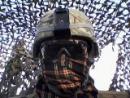
What to say... Joined the United States Army straight out of high school. been in the service for a little over two years, as an 11Bravo, or Infantryman. For those of you that don't know the slogan, "The last 100 yards are ours to conquer", so the motto is "Follow me!" I'm a ground pounder, foot soldier, grunt, or whatever else you can think of. Currently in Afghanistan, as of February 4th, 2013, and I should be back stateside around November 8th, 2013. Yes, I am excited, and yes, I do love my job. No, I can't say for sure that I've killed someone, kills aren't exactly confirmed, nor can you trace rounds to weapons. Any questions on the service, just ask. Anything you want to know about me, just ask.
I try not to be an asshole, but sometimes my nerves get fried from the stress and I can't keep my temper down especially when there's an ungodly amount of ignorance. My personal peeve. In any case, I'm glad to have found this community, and am excited to see what the future holds for us "rebels of Runescape."
Also, feel free to lie our page on Facebook: "Do you even Afghanistan, bro?" We have funny pictures, and status', and I believe that me and my platoon, The Scoundrels, are planning on posting a few platoon pictures. Follow us!

