Jump to content
View in the app

A better way to browse. Learn more.

OSBot :: 2007 OSRS Botting

A full-screen app on your home screen with push notifications, badges and more.

To install this app on iOS and iPadOS
  1. Tap the Share icon in Safari
  2. Scroll the menu and tap Add to Home Screen.
  3. Tap Add in the top-right corner.
To install this app on Android
  1. Tap the 3-dot menu (⋮) in the top-right corner of the browser.
  2. Tap Add to Home screen or Install app.
  3. Confirm by tapping Install.

yotedtoast

Members
  • Joined

  • Last visited

  1. You were right, project was set to 1.19 instead of 1.8. I had 1.8 installed just not set in project. File is now showing up and working. Thank you!
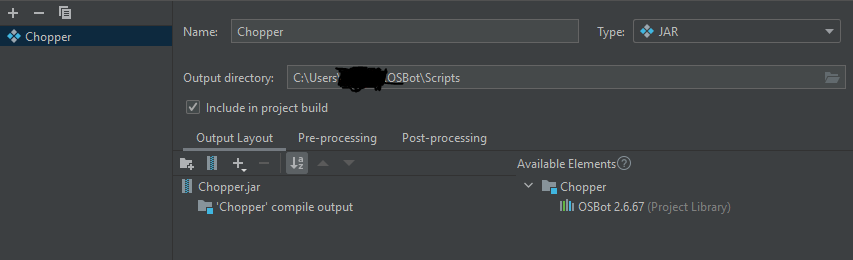
  2. Yes, I'm aware there are several similar threads, but none of the proposed solutions have worked for me. This is the log being produced when I go to load scripts. I am using IntelliJ with Java 1.8. Library import: Artifact: I have tried a clean slate by deleting everything OSBot related and reinstalling. I tried deleting the script and rebuilding it several times over. The script is present in the script folder. The code contains absolutely nothing but bare bones as you can see: I have seen several other people have encountered the problem but I have not found a good solution. Thank you for any help or suggestions.


Account

Navigation

Search

Configure browser push notifications

Chrome (Android)
  1. Tap the lock icon next to the address bar.
  2. Tap Permissions → Notifications.
  3. Adjust your preference.
Chrome (Desktop)
  1. Click the padlock icon in the address bar.
  2. Select Site settings.
  3. Find Notifications and adjust your preference.