




Jump to content
View in the app

A better way to browse. Learn more.

OSBot :: 2007 OSRS Botting

A full-screen app on your home screen with push notifications, badges and more.

To install this app on iOS and iPadOS
  1. Tap the Share icon in Safari
  2. Scroll the menu and tap Add to Home Screen.
  3. Tap Add in the top-right corner.
To install this app on Android
  1. Tap the 3-dot menu (⋮) in the top-right corner of the browser.
  2. Tap Add to Home screen or Install app.
  3. Confirm by tapping Install.

doznzlol

Members
  • Joined

  • Last visited

Everything posted by doznzlol

  1. I think I found the solution, I had the wrong JDK installed. 😁 And I changed the main class LOL, I am a lazy coder
  2. Could I pm you code?
  3. Almost positive I did both, osbot logger says: Failed to load local script : dev/dozn/test/Main.class java version "1.8.0_381" Java(TM) SE Runtime Environment (build 1.8.0_381-b09) Also, SDK 20.0.2
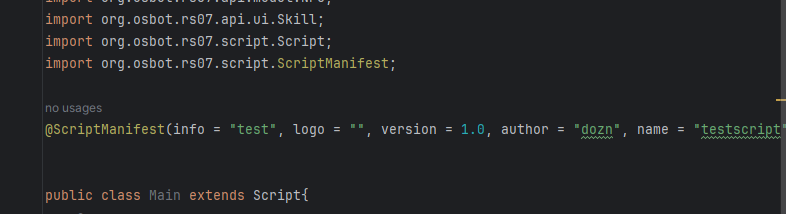
  4. Hello, I have a few scripts I made locally and I am wondering why they don't load into OSbot after I add them to the script folder as a .jar file. I have done everything right, built the files, and copy and pasted them into the folder, with no luck. Any suggestions would great. Thanks
  5. What are your methods? Botting for how long etc.
  6. doznzlol replied to Molly's topic in Money Making
    It works now.
  7. doznzlol replied to Token's topic in Others
    Gets stuck on digsite where you need to find the lady at the digsite's teddy bear for quiz answers. Other than this I haven't had any issues.
  8. doznzlol replied to Molly's topic in Money Making
    Script is not working with the new osbot version.

Account

Navigation

Search

Configure browser push notifications

Chrome (Android)
  1. Tap the lock icon next to the address bar.
  2. Tap Permissions → Notifications.
  3. Adjust your preference.
Chrome (Desktop)
  1. Click the padlock icon in the address bar.
  2. Select Site settings.
  3. Find Notifications and adjust your preference.