
vztot
Members
-
Joined
-
Last visited
-
What typo? If u mean " , " here says that -allow permissions are separated by " , ". Or i should add "-allow" to every permission? Ok. I'll use "-debug 0". I made a few changes in .sh files and script. Lets look: We have 2 exec strings that should run OSBot in normal state and nointerface. The strings: normal.sh: nointerface.sh: OSBot script (changed): Lets see what is happening in my case: https://streamable.com/vpibg We see that normal.sh is working fine but nointerface.sh is closed with error code 0. What it could be? P.S. nointerface is logged in 100% cos i hear sound of tutisland
-
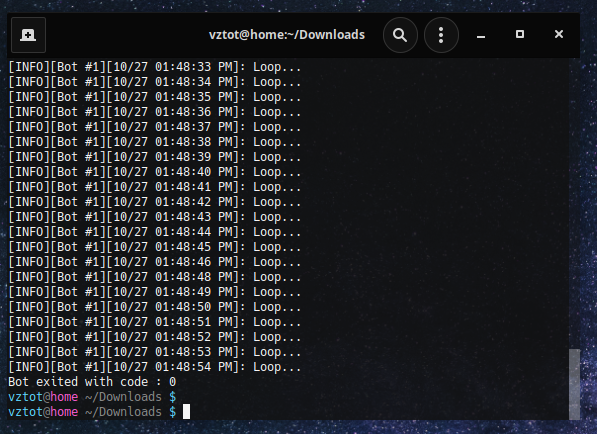
Here is my exec string: And here is my script code: Bot works 55-65 seconds every time and then: Cant find out.
-
Hi guys, i am new to this community and dunno limitations for free users. When i try run OSBot client with "-allow nointerface" arg it log in and my test script works around 1 minute, then exit with error code 0. In normal mode it works fine. It is because i am not VIP user? P.S. Does OSBot have discord? The old invite link (https://discord.gg/osbot) do not works for me.