




Jump to content
View in the app

A better way to browse. Learn more.

OSBot :: 2007 OSRS Botting

A full-screen app on your home screen with push notifications, badges and more.

To install this app on iOS and iPadOS
  1. Tap the Share icon in Safari
  2. Scroll the menu and tap Add to Home Screen.
  3. Tap Add in the top-right corner.
To install this app on Android
  1. Tap the 3-dot menu (⋮) in the top-right corner of the browser.
  2. Tap Add to Home screen or Install app.
  3. Confirm by tapping Install.

fagexjuck

Members
  • Joined

  • Last visited

Everything posted by fagexjuck

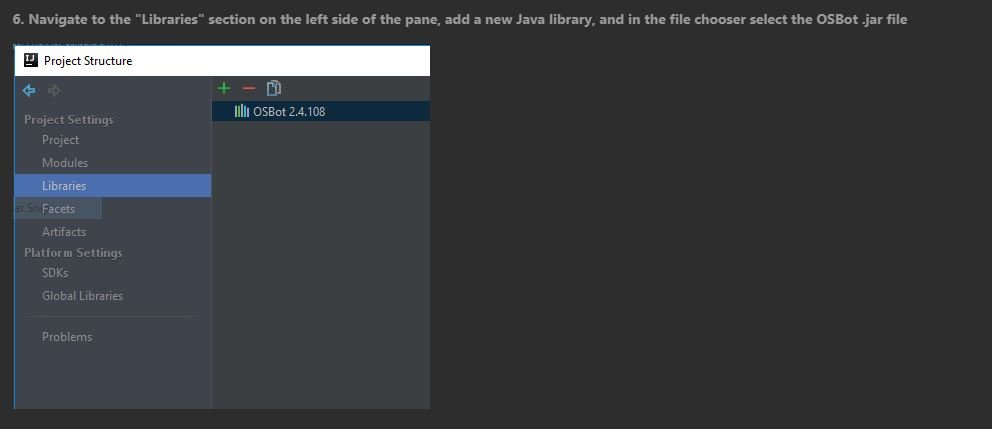
  1. I dont see OSBot [version] in my directories. I was wondering if client.jar is the same thing
  2. Sorry for asking too many questions. I need to understand before I begin. classes like Area, Player, Entity, and etc
  3. Can you guys elaborate further so I can visualize. I like compiling code in my head. If I have a x1(horizontal)(cut H in half) and y1 (vertical) (cut V in half) lets say x1 is south west of of grand exchange and it creates a "infinite" horizontal line up to x2? _______________________x2,y2 | | | | | | x1,y1----------------- like this?
  4. How do I force my bot to move to a certain range on the map? Area (x1 y1 x2 y2) What does this mean? its only 2 points when a square has 4 points

Account

Navigation

Search

Configure browser push notifications

Chrome (Android)
  1. Tap the lock icon next to the address bar.
  2. Tap Permissions → Notifications.
  3. Adjust your preference.
Chrome (Desktop)
  1. Click the padlock icon in the address bar.
  2. Select Site settings.
  3. Find Notifications and adjust your preference.