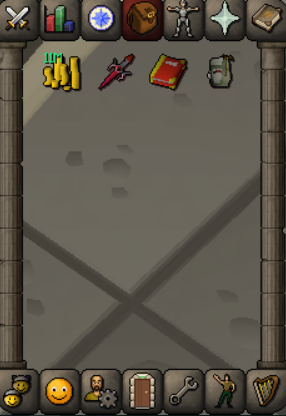
- Zeah favor
-
⭐Lacey Questing Services | Hand Done Questing | Half Price ⭐
online looking for work
-
⭐Lacey Questing Services | Hand Done Questing | Half Price ⭐
onine
-
Lacey changed their profile photo
-
Skills
i can help with this Lacey#2952 on discord
-
pc my main please
- ⭐Lacey Questing Services | Hand Done Questing | Half Price ⭐
Online now looking to get some quests done for people- LVL 3 > Mithgloves
- ⭐Lacey Questing Services | Hand Done Questing | Half Price ⭐
Bump- 48 Agility through quests/training
not a problem- priest in peril 3x
eta 40 mins 500k add me on discord to discuss Lacey#2952- 48 Agility through quests/training
Lacey#2952 i'm new but happy to complete for you- ⭐Lacey Questing Services | Hand Done Questing | Half Price ⭐
Online- ⭐Lacey Questing Services | Hand Done Questing | Half Price ⭐
Thank you!- ⭐Lacey Questing Services | Hand Done Questing | Half Price ⭐
Bump- ⭐Lacey Questing Services | Hand Done Questing | Half Price ⭐
- ⭐Lacey Questing Services | Hand Done Questing | Half Price ⭐
Account
Navigation
Search
Configure browser push notifications
Chrome (Android)
- Tap the lock icon next to the address bar.
- Tap Permissions → Notifications.
- Adjust your preference.
Chrome (Desktop)
- Click the padlock icon in the address bar.
- Select Site settings.
- Find Notifications and adjust your preference.
Safari (iOS 16.4+)
- Ensure the site is installed via Add to Home Screen.
- Open Settings App → Notifications.
- Find your app name and adjust your preference.
Safari (macOS)
- Go to Safari → Preferences.
- Click the Websites tab.
- Select Notifications in the sidebar.
- Find this website and adjust your preference.
Edge (Android)
- Tap the lock icon next to the address bar.
- Tap Permissions.
- Find Notifications and adjust your preference.
Edge (Desktop)
- Click the padlock icon in the address bar.
- Click Permissions for this site.
- Find Notifications and adjust your preference.
Firefox (Android)
- Go to Settings → Site permissions.
- Tap Notifications.
- Find this site in the list and adjust your preference.
Firefox (Desktop)
- Open Firefox Settings.
- Search for Notifications.
- Find this site in the list and adjust your preference.