




Jump to content
View in the app

A better way to browse. Learn more.

OSBot :: 2007 OSRS Botting

A full-screen app on your home screen with push notifications, badges and more.

To install this app on iOS and iPadOS
  1. Tap the Share icon in Safari
  2. Scroll the menu and tap Add to Home Screen.
  3. Tap Add in the top-right corner.
To install this app on Android
  1. Tap the 3-dot menu (⋮) in the top-right corner of the browser.
  2. Tap Add to Home screen or Install app.
  3. Confirm by tapping Install.

IHRTCorsair

Java Lifetime Sponsor
  • Joined

  • Last visited

About Me

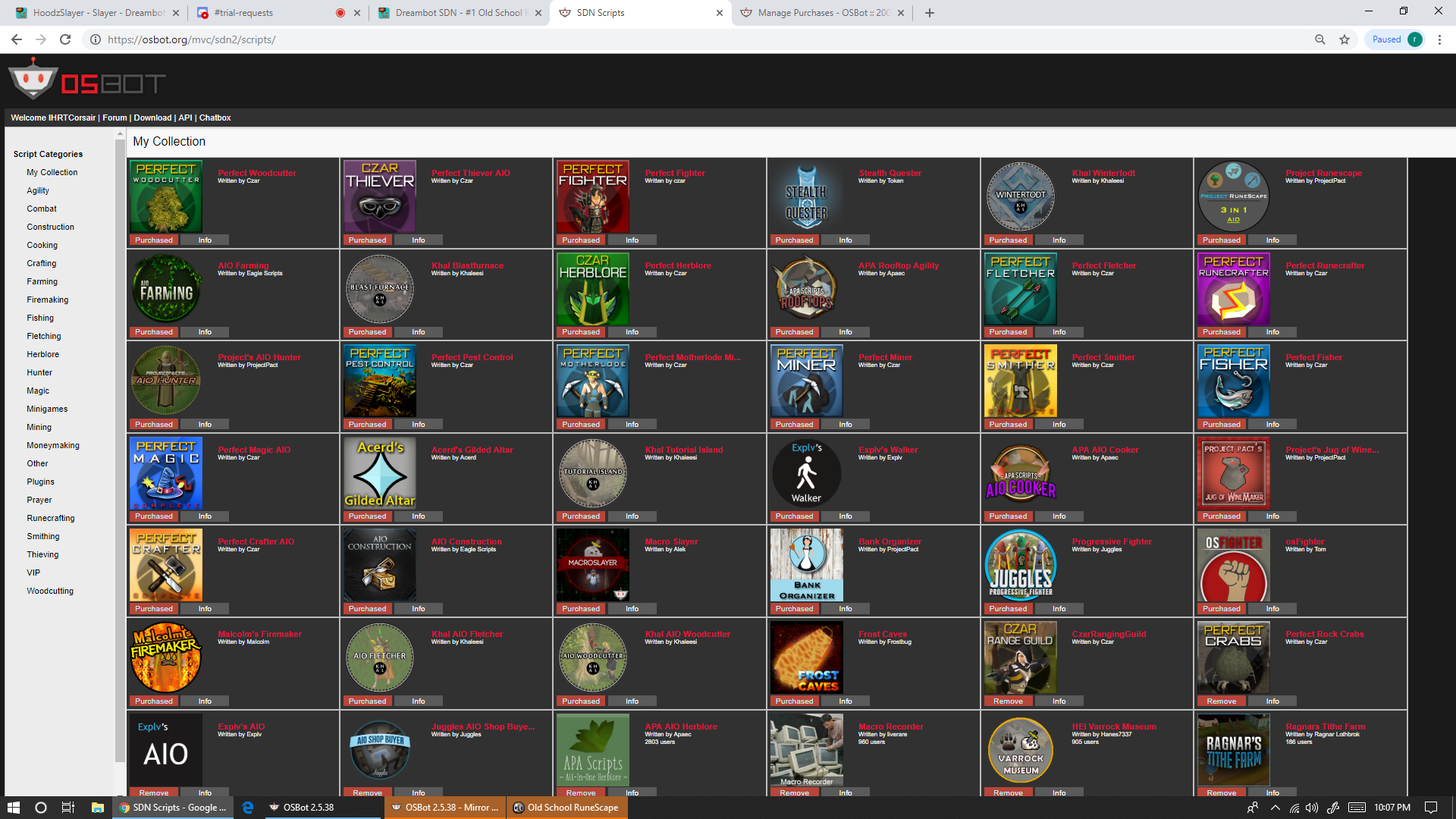
My Osbot.org Script Library.....not even quiet all of it few missing... feel free to ask my opinion on any of the scripts you see that i own i likely have a good amount of experince using it as ive used almost all of these fairly heavily and have encountered bugs in almost every single one at some point or another wirb  

Discord is IHrtCorsair#0019 image.thumb.png.1c1a365b1b9ad164936f02d23c50a76d.png
Account

Navigation

Search

Configure browser push notifications

Chrome (Android)
  1. Tap the lock icon next to the address bar.
  2. Tap Permissions → Notifications.
  3. Adjust your preference.
Chrome (Desktop)
  1. Click the padlock icon in the address bar.
  2. Select Site settings.
  3. Find Notifications and adjust your preference.