




Jump to content
View in the app

A better way to browse. Learn more.

OSBot :: 2007 OSRS Botting

A full-screen app on your home screen with push notifications, badges and more.

To install this app on iOS and iPadOS
  1. Tap the Share icon in Safari
  2. Scroll the menu and tap Add to Home Screen.
  3. Tap Add in the top-right corner.
To install this app on Android
  1. Tap the 3-dot menu (⋮) in the top-right corner of the browser.
  2. Tap Add to Home screen or Install app.
  3. Confirm by tapping Install.

YungTaco

Members
  • Joined

  • Last visited

  1. yes i am signed in, everything comes up but when i click the plus sign the game doesnt even go to a load screen, just stays grey.. this is what it looks like
  2. how would i do that, i know im noobin hard
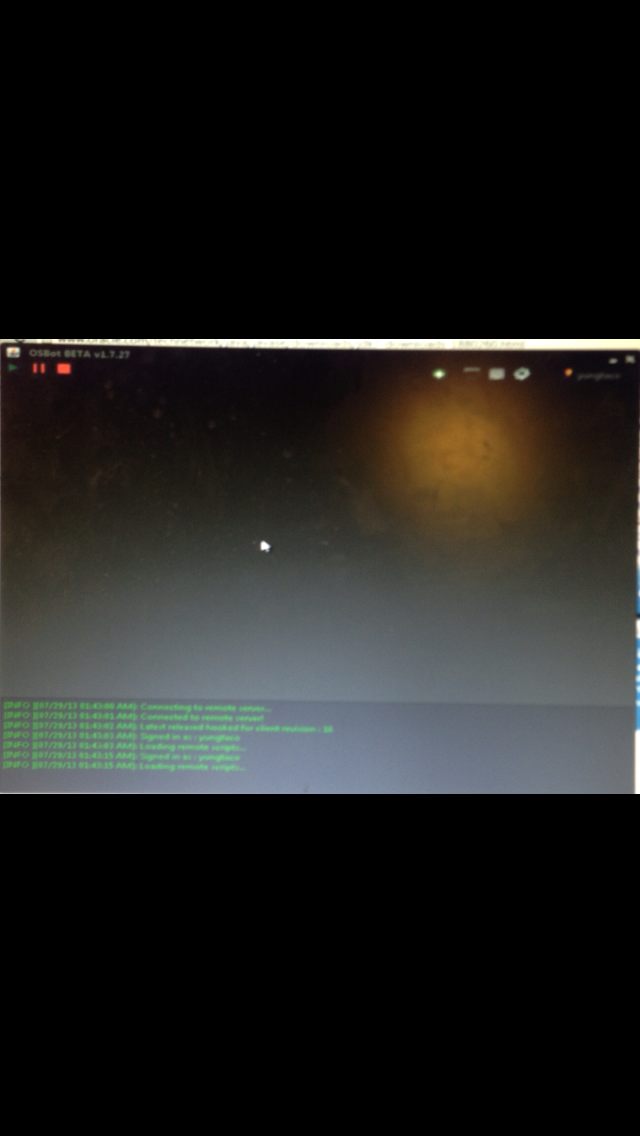
  3. i downloaded that jdk stuff, re installed everything, and im still getting this, ill click the plus sign and still nothing, what else am i missing?
  4. i click the plus sign, nothing works, im signed in, added my account info and everything, can someone please help?
Account

Navigation

Search

Configure browser push notifications

Chrome (Android)
  1. Tap the lock icon next to the address bar.
  2. Tap Permissions → Notifications.
  3. Adjust your preference.
Chrome (Desktop)
  1. Click the padlock icon in the address bar.
  2. Select Site settings.
  3. Find Notifications and adjust your preference.