koekkoek
Members
-
Joined
-
Last visited
-
no i didnt but i didnt take alot of breaks, this account was banned last year for nmz botting aswel ;p and now i recieved a 1 day ban
-
a little update haha ;p i just got my 1 day ban so i might have to stop botting again for a year haha
-
still going strong with this script my man thought maybe its good for the script that i keep updating some proggies.. im at level 95 right now
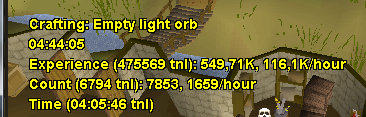
-
yh sure bro i am running this script like 10-15 hours a day for the past 5 days
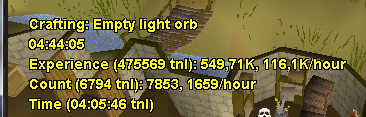
-
i am botting on a old account, i started botting crafting at level 75.. now 5 days later im 95 and still running all day long so i think its better to bot on older accounts
-
haha ;p i started friday with botting, i started at level 75 ;p i am 91 right now this week 99
-
some proggie's ;p

-
nice script, got me from 75 to 82 right now but script needs babysit sometimes it failed clicling on molten glass.