






Slicedgold
Java Lifetime Sponsor
-
Joined
-
Last visited
Everything posted by Slicedgold
-
Bump
-
bump
-
Bump
-
bump
-
Bump
-
bump
-
Bump
-
bump
-
Bump
-
bump
-
Bump
-
bump
-
Bump
-
bump
-
Bump
-
bump
-
bump
-
Hello u can still navigate to account settings even if email is not set. Thank you
-
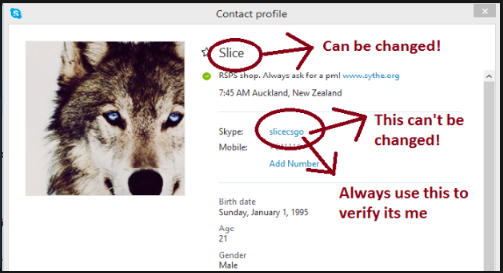
-100% Hand-trained Original Owner Maxed melee account for sale [99 att/str/def/hp] Spoiler -You set the first email! [No email set] Price: 310M 07 or $195 BTC Rs2007 / Runescape3 / Paypal [Trusted only] / BTC 3-5% Discount / Western union (Please use the buttons to add to avoid adding impersonators) Skype: Slicecsgo All account information will be provided You agree with our T.o.S when you are buying accounts from us Any mutes or bans after you purchase an account is not our responsibility We wont be responsible for re-sold accounts. Any wealth put on the account is your responsibility if you loss the account We are not responsible for any recoveries. We will not recover account if asked, we do not keep the information regarding the accounts we sell. Once you have the email switched, you are owner of the account and there is no refund/recoveries for you. All sales are final.
-
bump
-
bump
-
bump
-
bump
-
bump
-
bump

