




Jump to content
View in the app

A better way to browse. Learn more.

OSBot :: 2007 OSRS Botting

A full-screen app on your home screen with push notifications, badges and more.

To install this app on iOS and iPadOS
  1. Tap the Share icon in Safari
  2. Scroll the menu and tap Add to Home Screen.
  3. Tap Add in the top-right corner.
To install this app on Android
  1. Tap the 3-dot menu (⋮) in the top-right corner of the browser.
  2. Tap Add to Home screen or Install app.
  3. Confirm by tapping Install.

Ztop

Members
  • Joined

  • Last visited

  1. How would 81 hp, 45 def, and 71 range do for this
  2. Does this support b2p just with runes? Tabs cost a lot more than just the runes =\
  3. Ztop posted a topic in Resolved
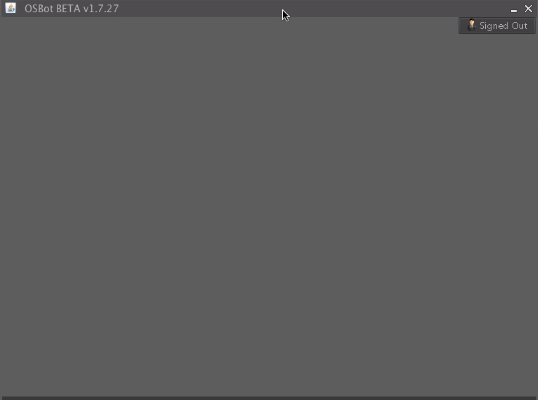
    So I downloaded OSBot on my mac and it's worked out nicely so far. My friend also downloaded it on his mac, but when he opens it up, the options at the top dont appear, only the button that says "Signed out". Also the minimize/close button dont work, basically no clicks register on it. Any help is appreciated, Thanks! I have uploaded a photo of what the client looks like when he opens.
Account

Navigation

Search

Configure browser push notifications

Chrome (Android)
  1. Tap the lock icon next to the address bar.
  2. Tap Permissions → Notifications.
  3. Adjust your preference.
Chrome (Desktop)
  1. Click the padlock icon in the address bar.
  2. Select Site settings.
  3. Find Notifications and adjust your preference.