LiamN
Members
-
Joined
-
Last visited
-
Works fine locally, and the logs look fine for a low fishing lvl character, so I need some clarification on what you mean with going haywire. You can write to me via PM.
-
@Explv has some pretty neat stuff, see github.
-
Should be fixed now, thanks for the report!
-
I thought support for higher tier axes would be somewhat redundant due to the fact that it's main purpose is just fishing and cooking anchovies, but I could see about implementing it
-
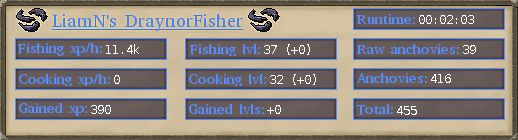
Features Fishes shrimp and anchovies by Draynor Village Auto-cooks the anchovies Rudimentary anti-ban Stupidly simple How to use? Download jar from mediafire (v1.2). Place in OSBot scripts folder. Run the script! Requirements Small fishing net in inventory or bank Bronze axe in inventory or bank Tinderbox in inventory or bank Combat lvl 15+ strongly recommended Details The script will first randomize a number between 200 and 500. It will then net the fishing-spots until it has that number of anchovies in the bank, and it will then proceed to cook all that anchovies. After that is done a new number is randomized, and the cycle continues. Also, the script is not obfuscated, so feel free to decompile it if you want the source code. Changelog Version 1.1 Fixed a bug where the script would sleep for 30 seconds if only cooking one anchovies. Vesion 1.2 Fixed the bug mentioned by @Madeon (hopefully). Report if you have similar problems again. Bug reports If you find any bugs, or have any requests and/or questions, please contact me ASAP. Please send log output along with a description of what happens.