rawdog2020
Trade With Caution
-
Joined
-
Last visited
Everything posted by rawdog2020
-
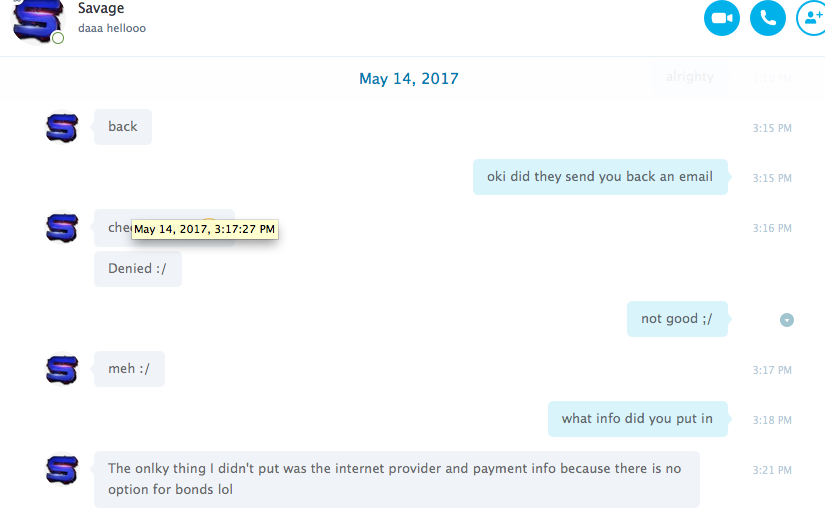
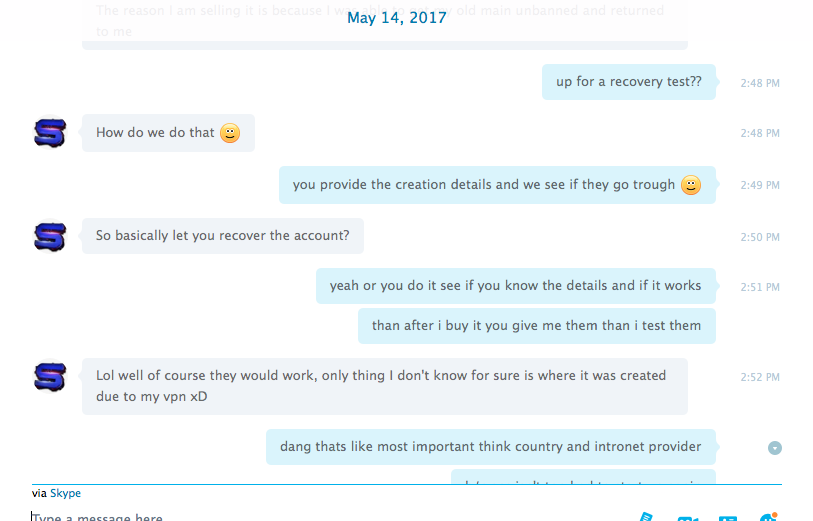
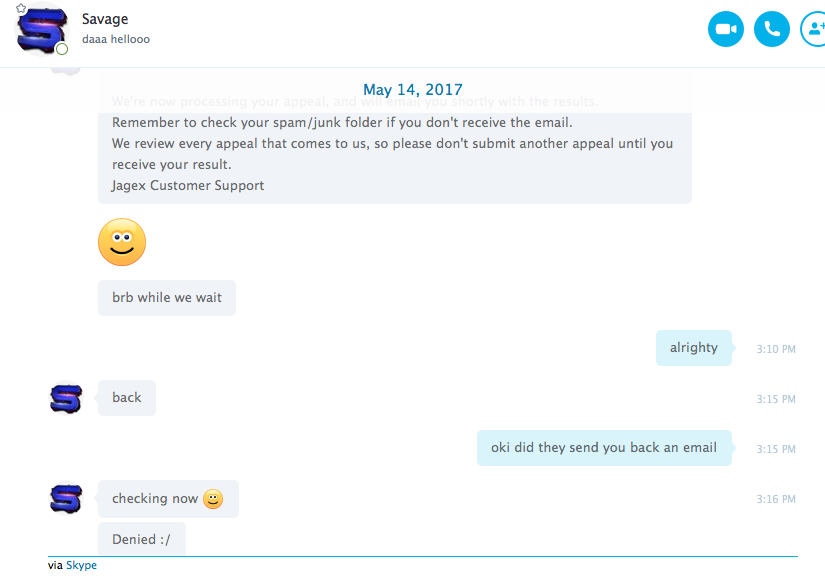
Hi I dont regularly log onto osbot anymore but on thursday I was warrned that I was scamming and I did not see it untill today when i got an email I was banned. So what happend is i bought an account from Savages played on it for a month or so and decided to sell it, when i bought it form him he claimed he didnt have any of the recovery info because he created the account on a vpn and he dose not know the ip adress just gave me one funky password and thats it than i sold it to someone els thinking this guy was legit and it got recovered and i was banned i know its my responsibility for selling the account , i dont even mind i was banned on here but if this is the case i fell bad for the guy that bought the account from me so do what even you want with this post im just letting you guys know the situtation but i think Savages should refund the guy i sold the account too atleast the ammount of money i payed for it ill post some screen shots one if the pictures shows that he calimed he tried to recover it and it was denied because he dosent know any of the recovery info he said he tried recovering but it was denied , so if he didnt give me any of the recovery info how could i have recoverd it if he said he even cant but he was a lier becuase isaw other disputes again him btw my osb acc that got banned was dannysoko