Jump to content
View in the app

A better way to browse. Learn more.

OSBot :: 2007 OSRS Botting

A full-screen app on your home screen with push notifications, badges and more.

To install this app on iOS and iPadOS
  1. Tap the Share icon in Safari
  2. Scroll the menu and tap Add to Home Screen.
  3. Tap Add in the top-right corner.
To install this app on Android
  1. Tap the 3-dot menu (⋮) in the top-right corner of the browser.
  2. Tap Add to Home screen or Install app.
  3. Confirm by tapping Install.

YoungWinner

Members
  • Joined

  • Last visited

Everything posted by YoungWinner

  1. Gonna try mirror mode. Maybe you should too.
  2. I think so... lol I used to own a pretty popular one
  3. YoungWinner replied to newyorkcity's topic in Runescape
    You'll lose money
  4. Probably start a RSPS again.
  5. YoungWinner replied to newyorkcity's topic in Runescape
    air battlestaffs
  6. YoungWinner replied to Apec's topic in Runescape 2007
    How much are you looking to buy?
  7. I dunno, I think this is one of the best mixtapes he's dropped.
  8. I can do 8.2m < 1m due to economy right now.
  9. 1099
  10. Anyone listen to this album yet? It's straight fire.. Top 3 favorite songs: https://www.youtube.com/watch?v=BfIsscatymk https://www.youtube.com/watch?v=vh6Aj8lUzC8
  11. I was originally paying $3 because it's only an avatar.
  12. No I'm botting on my at my other house.
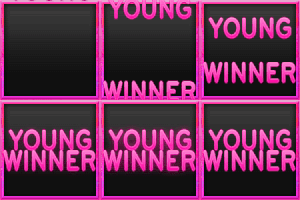
  13. Well I had Basiq start my avatar but it's been a couple days and no response.. So could someone else do it for me? I'll either pay with PP or OSGP. He was getting at this: I want a dark grey background with Pink text saying "YoungWinner" Also I want animation going across like so:
  14. What does this mean?
  15. I left my computer on at my other house with my account logged on.. Now I can't login where I'm at now ;(
  16. I remember when you came into the market.. ;)
  17. hope you don't get it support tho

Account

Navigation

Search

Configure browser push notifications

Chrome (Android)
  1. Tap the lock icon next to the address bar.
  2. Tap Permissions → Notifications.
  3. Adjust your preference.
Chrome (Desktop)
  1. Click the padlock icon in the address bar.
  2. Select Site settings.
  3. Find Notifications and adjust your preference.