MadeMyDay
Members
-
Joined
-
Last visited
-
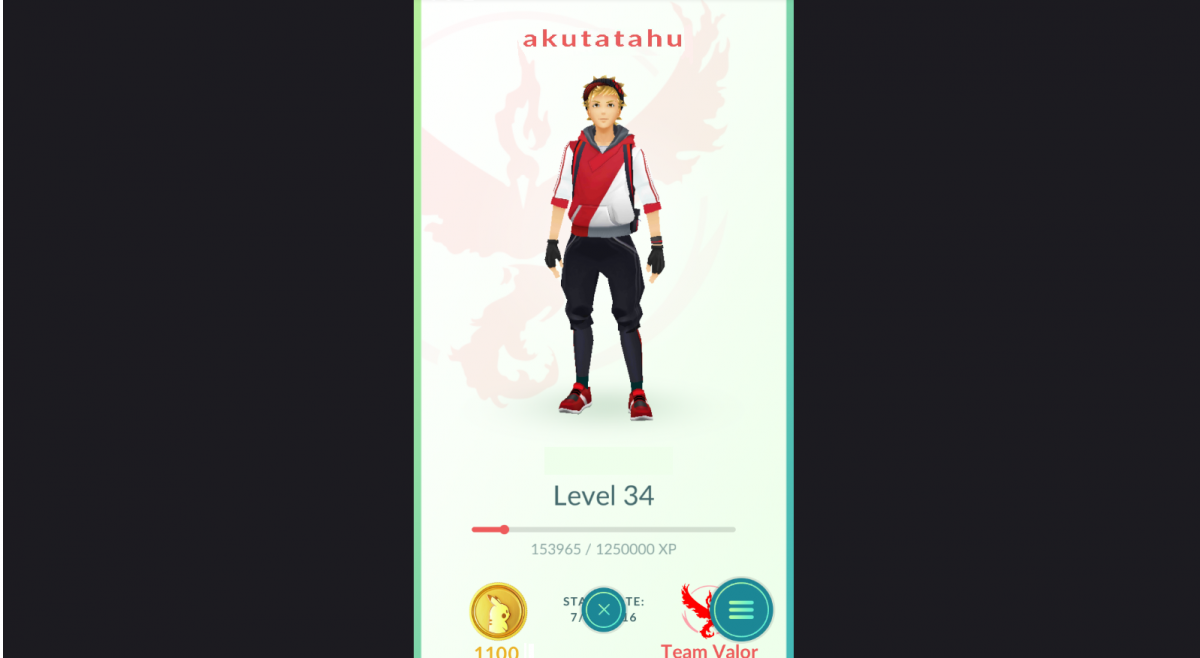
Very Special Pokemon Go account 34lvl Dragonite Snorlax 550slots poke coins 1100 p. Hello today i got legendary pokemon go account for sell it contains alot of strong pokemons with extremly high CP almost full pokedex also alot rare pokemons which you can upgrade with stardust as you like most of the pokemons aren't powered up only few of the strongest one so you can upgrade any pokemon you like i dont want to set a buyout price for this account highest bid will win it or when i got a nice buyout offer i will sell it instantly it is a PTC account numer next to some of the pokemons show its IV % perfection stats 100% IV pokemons are very rare and the strongest ones of its kind. ITS A HANDMADE ACC !!! SAFE !!! AVOID BUYING BOTTED ACCOUNTS IT WILL GET YOUR ACCOUNT BANNED !!! if you dont like the product we will refund you money you got one week time to ask for the refund LIFETIME SUPPORT AND GUARANTEE 24/7 SKYPE SERVICE YOU WANT TO SEE THE ACCOUNT ON YOUR OWN FOR A TEST PEROID OF THE TIME HIT ME UP ON SKYPE : facebook:bloker000 (mew avatar) or just use the skype signature down below : YOU CAN CHANGE THE NICKNAME FOR YOUR OWN ONE TIME AFTER THE LAST UPDATE I TOOK DOWN SOME PICTURES SO YOU CAN REVIEW WHAT YOU GONNA BUY :