daldo0930
Members
-
Joined
-
Last visited
-
-
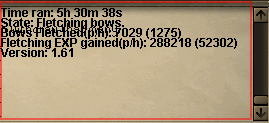
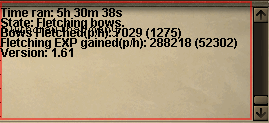
Been using the script for not even about 5 minutes, and I've noticed, sometimes it fails to close the bank, and the bot thinks it did, while the bank is still open, the bot then continues to hover the mouse over the knife and logs, and it'll not recognize that the bank is not closed. EDIT: I have continued to use the script, been about 30-60 minutes, works flawlessly from what I've seen, other than what I stated above, defiantly a script that should be used. 2ND EDIT: Here is a picture of one of my accounts going for 5 hours
-
I've defiantly been looking for a fletching script for a bit, I'll 100% try it out, I'll write on updates later on, but also a suggestion could be: Auto command switching, once finished fletching the bows into (u), have the script auto start stringing them, that is it you're able to, will post more feedback once I have used.