




Jump to content
View in the app

A better way to browse. Learn more.

OSBot :: 2007 OSRS Botting

A full-screen app on your home screen with push notifications, badges and more.

To install this app on iOS and iPadOS
  1. Tap the Share icon in Safari
  2. Scroll the menu and tap Add to Home Screen.
  3. Tap Add in the top-right corner.
To install this app on Android
  1. Tap the 3-dot menu (⋮) in the top-right corner of the browser.
  2. Tap Add to Home screen or Install app.
  3. Confirm by tapping Install.

sam1234

Members
  • Joined

  • Last visited

Everything posted by sam1234

  1. How do i use this on my bot ?? where do i paste that code -.- ?????
  2. sam1234 replied to Bub's topic in Archive
    banned at seers AGAIN
  3. sam1234 replied to Laz's topic in Releases
    DOESN'T DO FROGS OR FROG CAVE EITHER
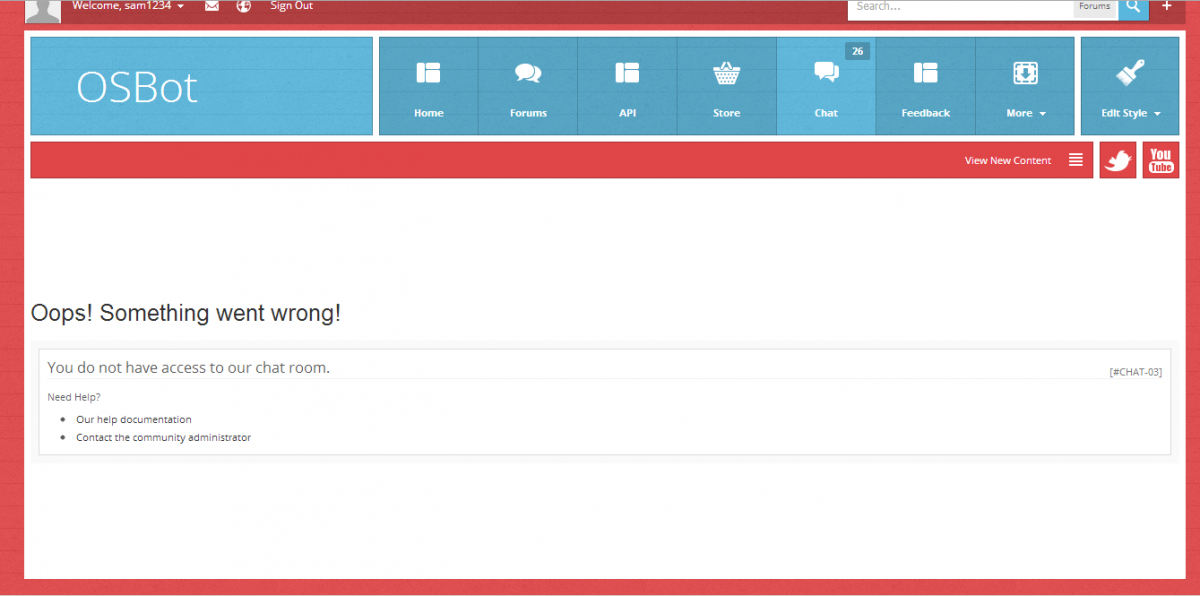
  4. Every time I try and join the chat I get this message: http://oi40.tinypic.com/k2zdd1.jpg Please Help !!!!
  5. sam1234 replied to Laz's topic in Releases
    Thanks so much for all the hard work, much appreciated !!
  6. I have been banned ( I think ) from the chat, because every time I try to use it I get this: P.s I have never been in the chat for more than like 10 minutes, and i have never even said a word, it must be a mistake. Anyone ?
  7. sam1234 replied to Laz's topic in Releases
    Pinball random is not working.
  8. They just changed the bankers ID in the latest update, now every time my bot goes to the bank it starts the frog cave random up..

Account

Navigation

Search

Configure browser push notifications

Chrome (Android)
  1. Tap the lock icon next to the address bar.
  2. Tap Permissions → Notifications.
  3. Adjust your preference.
Chrome (Desktop)
  1. Click the padlock icon in the address bar.
  2. Select Site settings.
  3. Find Notifications and adjust your preference.