bartez
Members
-
Joined
-
Last visited
Everything posted by bartez
-
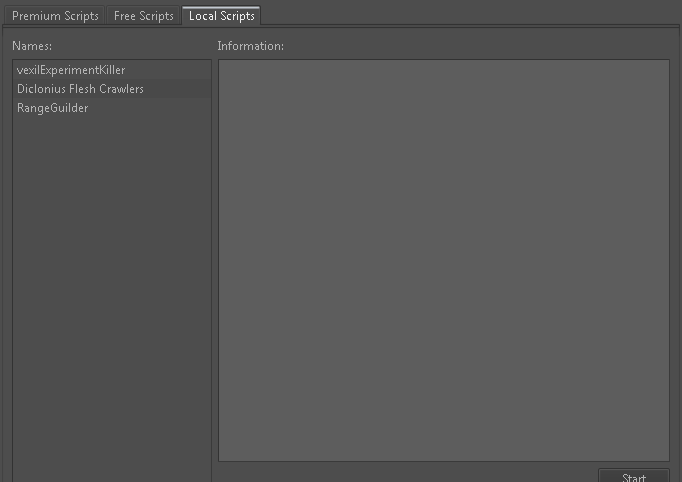
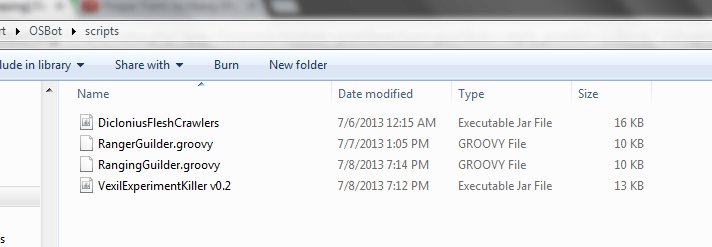
Hmm, I don't know to be honest, you did reload the bot and put it in the right folder? Yes, it's in the right folder, got your 1.0 working but 1.1 he doesn't seem to see. Redownloaded a few times, restarted osbot, used the refresh button multiple times. folder.png added a screenshot to make sure its in the right place. Anyway, I have been using 1.0 and it works really good aswell, only thing which needs to be fixed is when someone is standing on the competition judge, it wont do anything. it doesn't know what to do then. Many thanks, peace Bart I'm sorry but I really don't know whats up then, doesn't it load up in bot or is there error message when starting it? Sounds weird eitherway. It doesn't show at all Strange yeah. Maybe it's osbot and not the script? anyway I'll be using 1.0. cheers

-
Hmm, I don't know to be honest, you did reload the bot and put it in the right folder? Yes, it's in the right folder, got your 1.0 working but 1.1 he doesn't seem to see. Redownloaded a few times, restarted osbot, used the refresh button multiple times. added a screenshot to make sure its in the right place. Anyway, I have been using 1.0 and it works really good aswell, only thing which needs to be fixed is when someone is standing on the competition judge, it wont do anything. it doesn't know what to do then. Many thanks, peace Bart
-
Hi bro, having a problem with the 1.1 file, osbot doesn't see it in the script file running the v1.7.17 version 1 works flawless tho! great script!
-
Could you change the paint? Pretty BAD color combination, have to take the contrast way down to read it , nice script so far tho!